
Not registered with CAC yet? Request your registration from the Oja app in two minutes. A partner handles the filing and reaches you on WhatsApp within 24 hours.
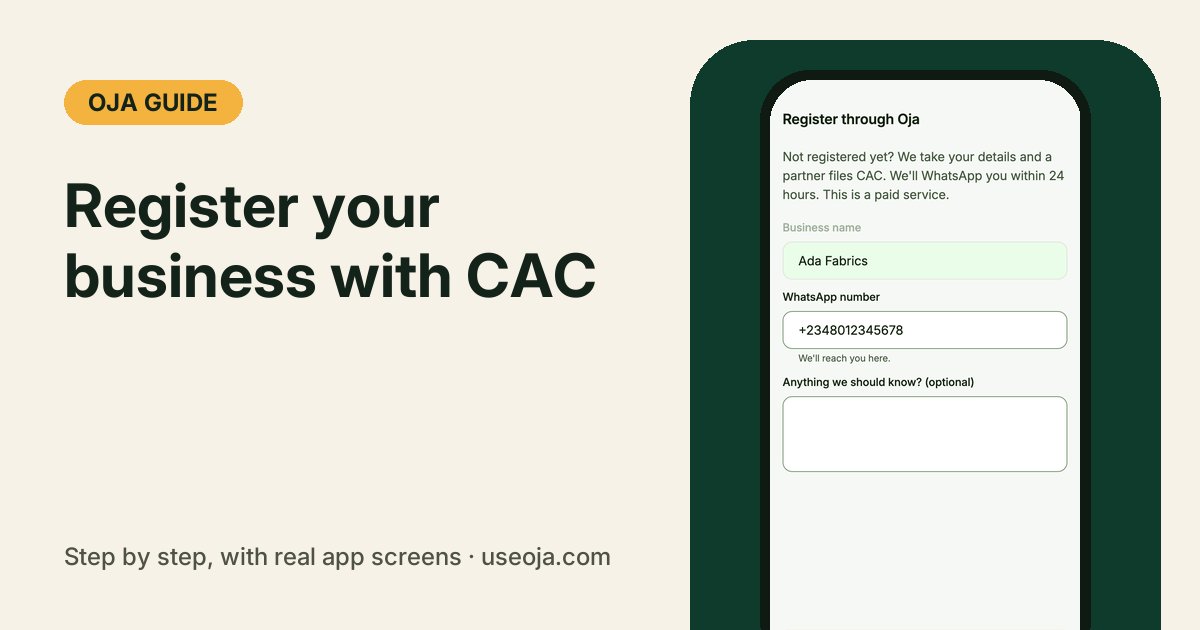
A registered business opens doors: bank loans, bigger customers, government programmes and higher limits on Oja. If you have been putting off CAC registration because it looks like a lot of running around, you can request it from the Oja app. You fill one short form and a registration partner handles the rest with you on WhatsApp.
Before you start
- The business name you want to register, and one or two other names in case it is taken.
- A WhatsApp number the partner can reach you on.
- This is a paid service. The partner confirms the price with you on WhatsApp.
Open Register through Oja
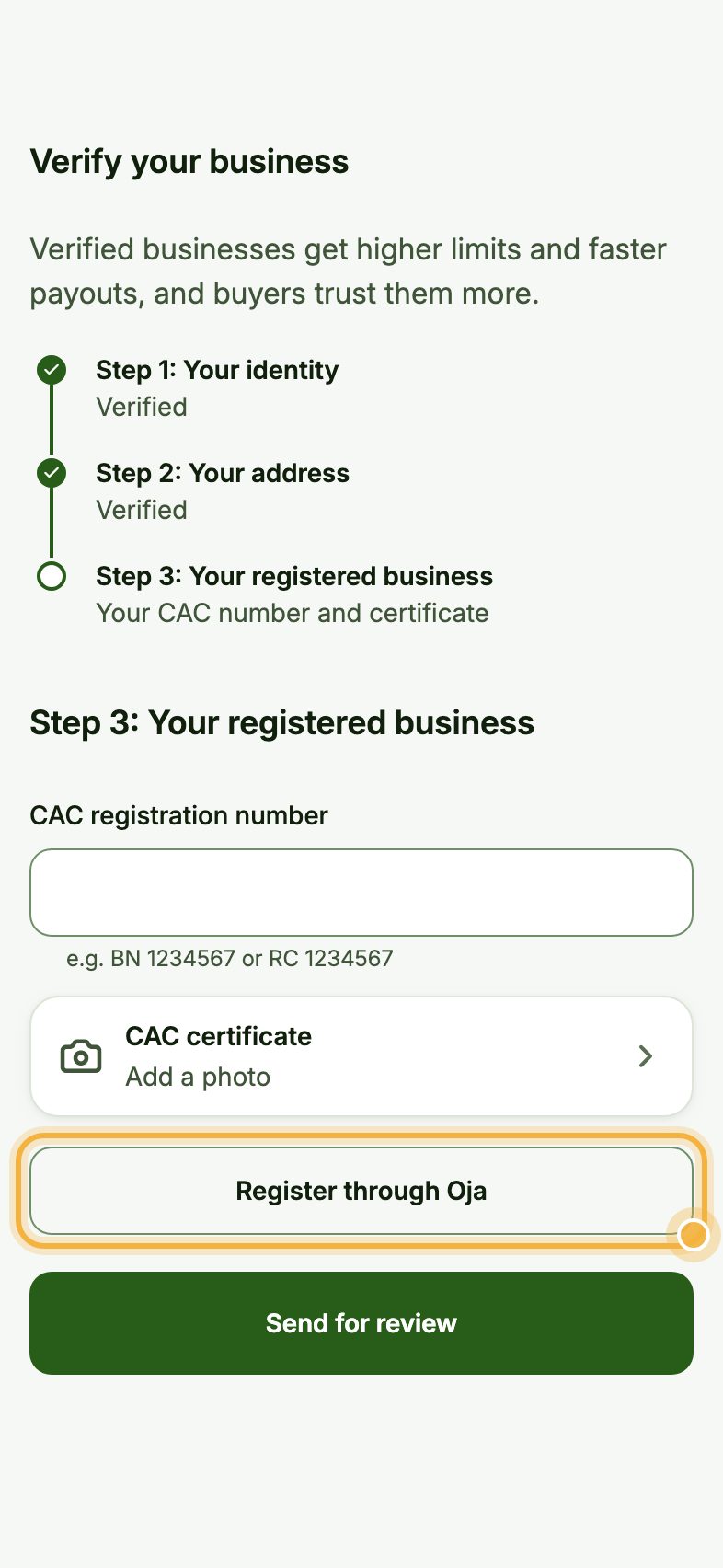
Go to Account, then Verify your business. At Step 3: Your registered business, tap Register through Oja.
Fill the form and request it
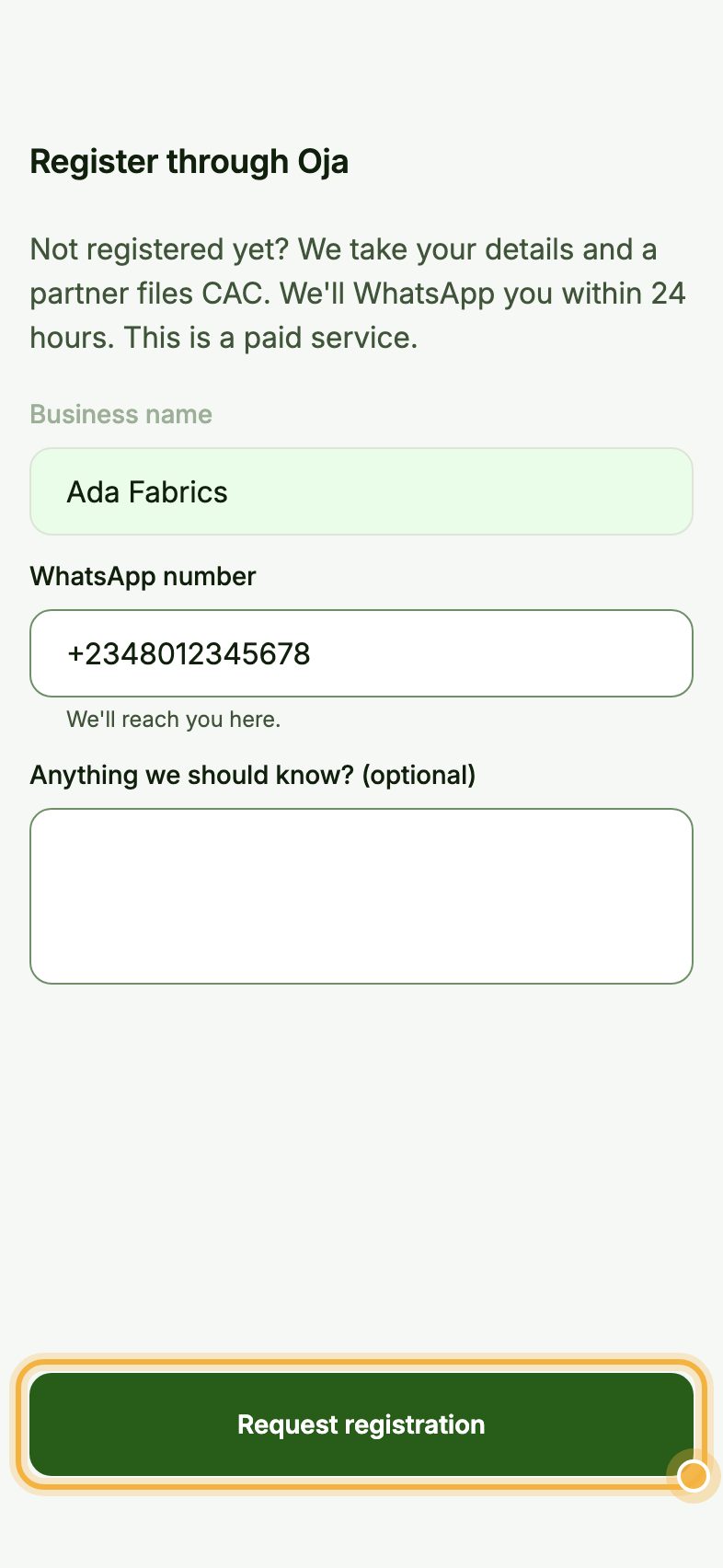
Type the Business name you want, check your WhatsApp number, and add anything the partner should know, like the other names you would accept or what your business does.
Tap Request registration.
Answer the partner on WhatsApp
Within 24 hours, the partner sends you a WhatsApp message with the price and anything else they need. They file with CAC for you.
When your business is registered, your CAC number is added to your verification for you. Upload your certificate in Verify your business to finish step 3.
Tips before you file
- A business name (numbers start with BN) suits most sole traders. A limited company (numbers start with RC) suits businesses with partners or investors. Ask the partner if you are not sure.
- Pick a name that matches your store and social pages, so customers recognise you everywhere.
- You do not need to wait for CAC to sell. Keep selling on Oja while the registration goes through.
Try it in the Oja app
Oja is free to start. Download the app, open your store and request your CAC registration from Account.
Start selling free