
Open a free Oja business account in minutes, then give your shop its own account number for transfers. No bank visit, no forms. Step by step, with real app screens.
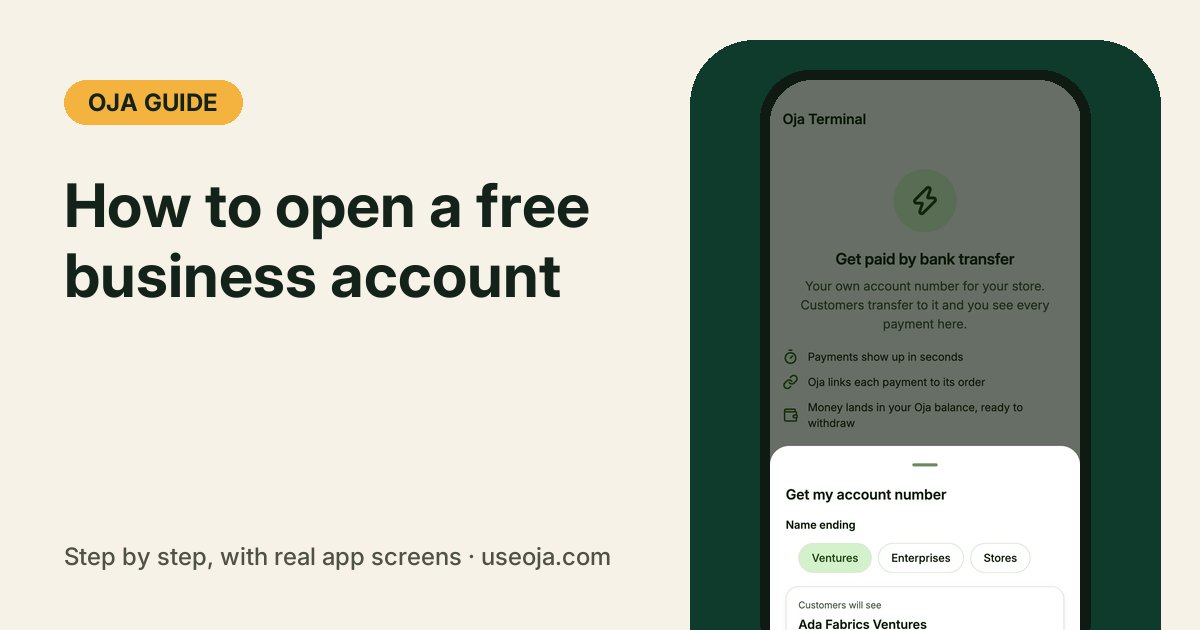
Most small shops take transfers into the owner's personal account, so business money and house money mix and nobody knows what the shop really made. Oja fixes that in two parts. Your Oja account is free and keeps every sale, debt and payment for your shop. When you are ready, Oja Terminal gives the shop its own account number in the shop's name, and every transfer into it is confirmed for you.
Before you start
- A smartphone with the Oja app (App Store or Google Play), or a browser at useoja.com.
- A Nigerian phone number, and the bank account you want your money to go to.
- For your own account number: the Odogwu or Chairman plan. Everything else in this guide works on the free plan.
Create your free Oja account
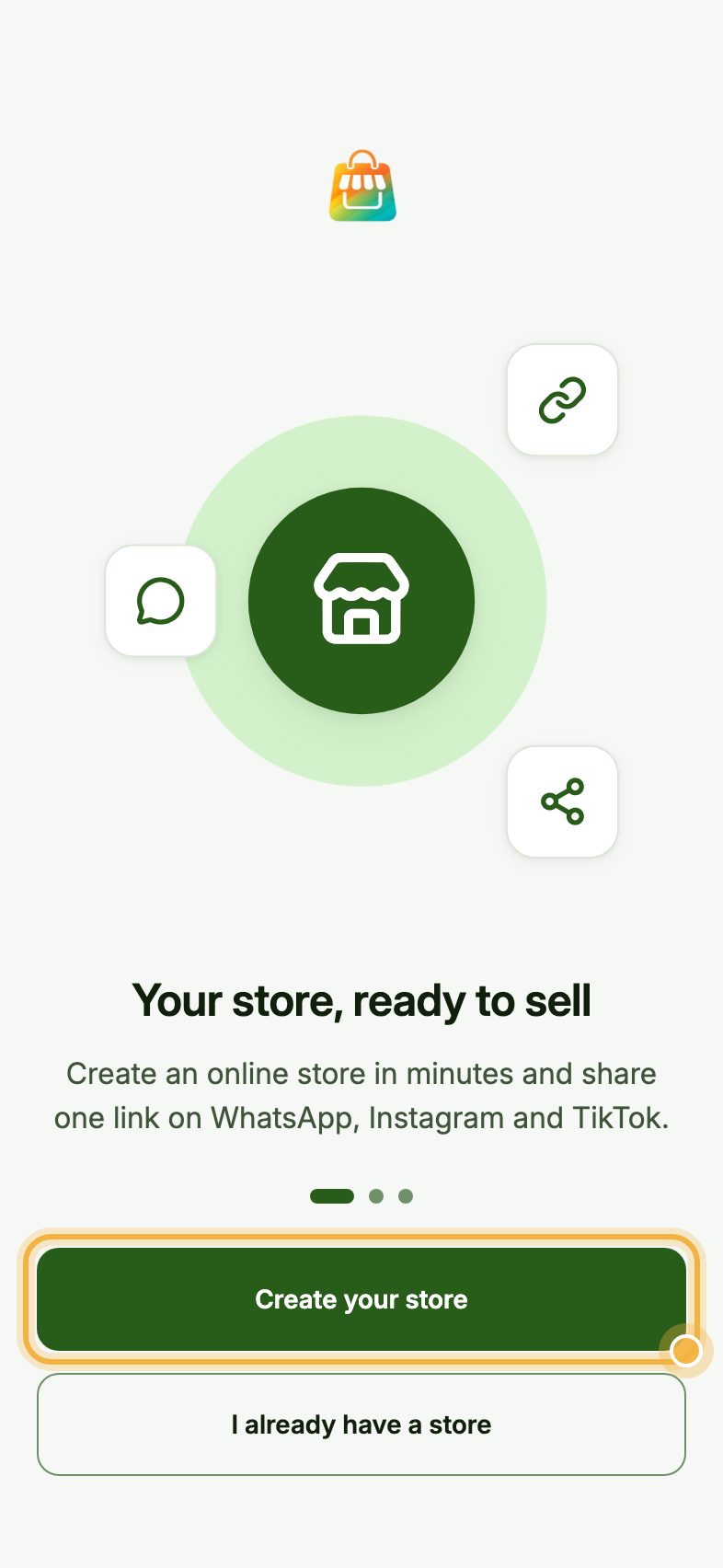
Open the Oja app and tap Create your store. Sign up with Google, Apple or your email, then give your shop a name. Oja checks the name while you type and gives you a store link like adafabrics.useoja.com.
That is your free business account. You can record sales, track who owes you and sell online from today, on the free Apprentice plan.
Open Account, then Oja Terminal
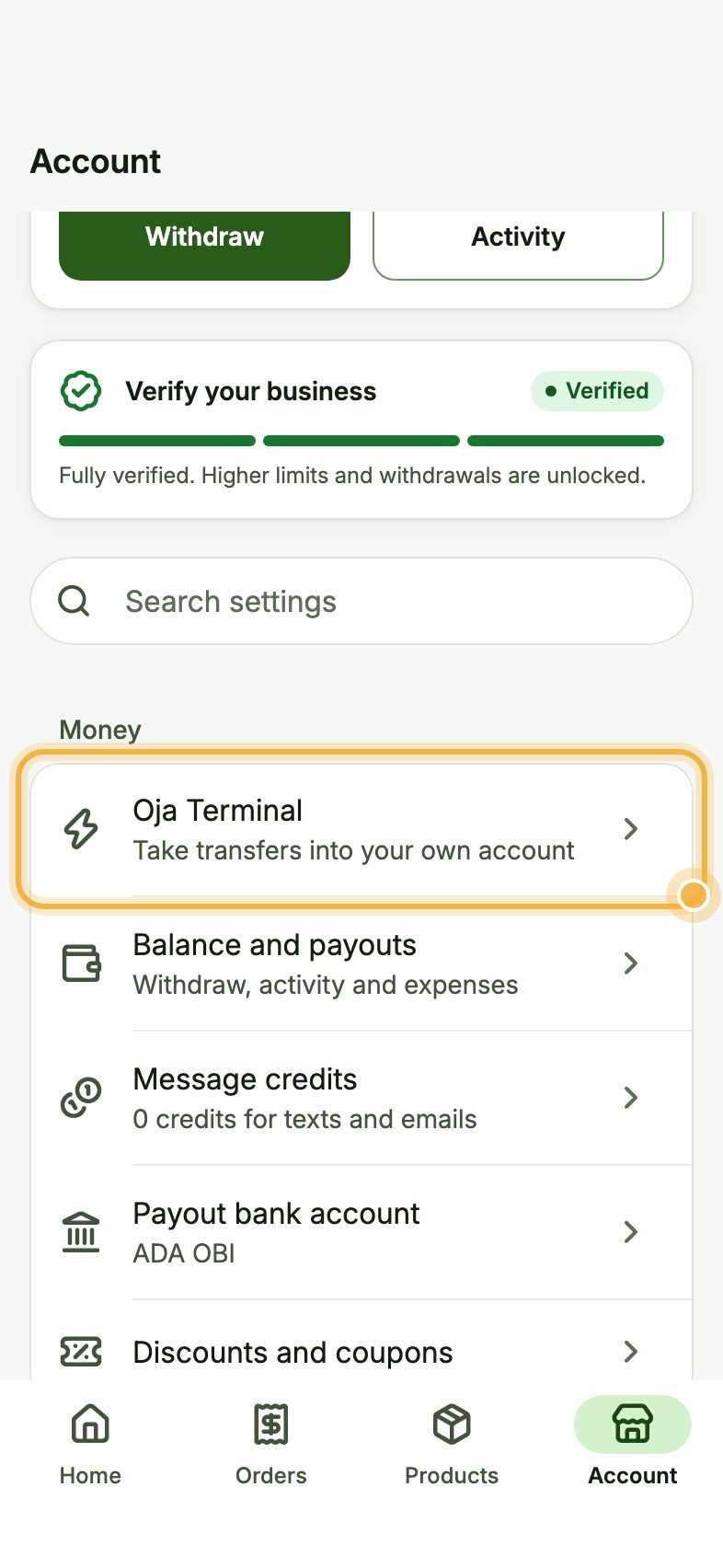
Go to the Account tab. Under Money, tap Oja Terminal ("Take transfers into your own account").
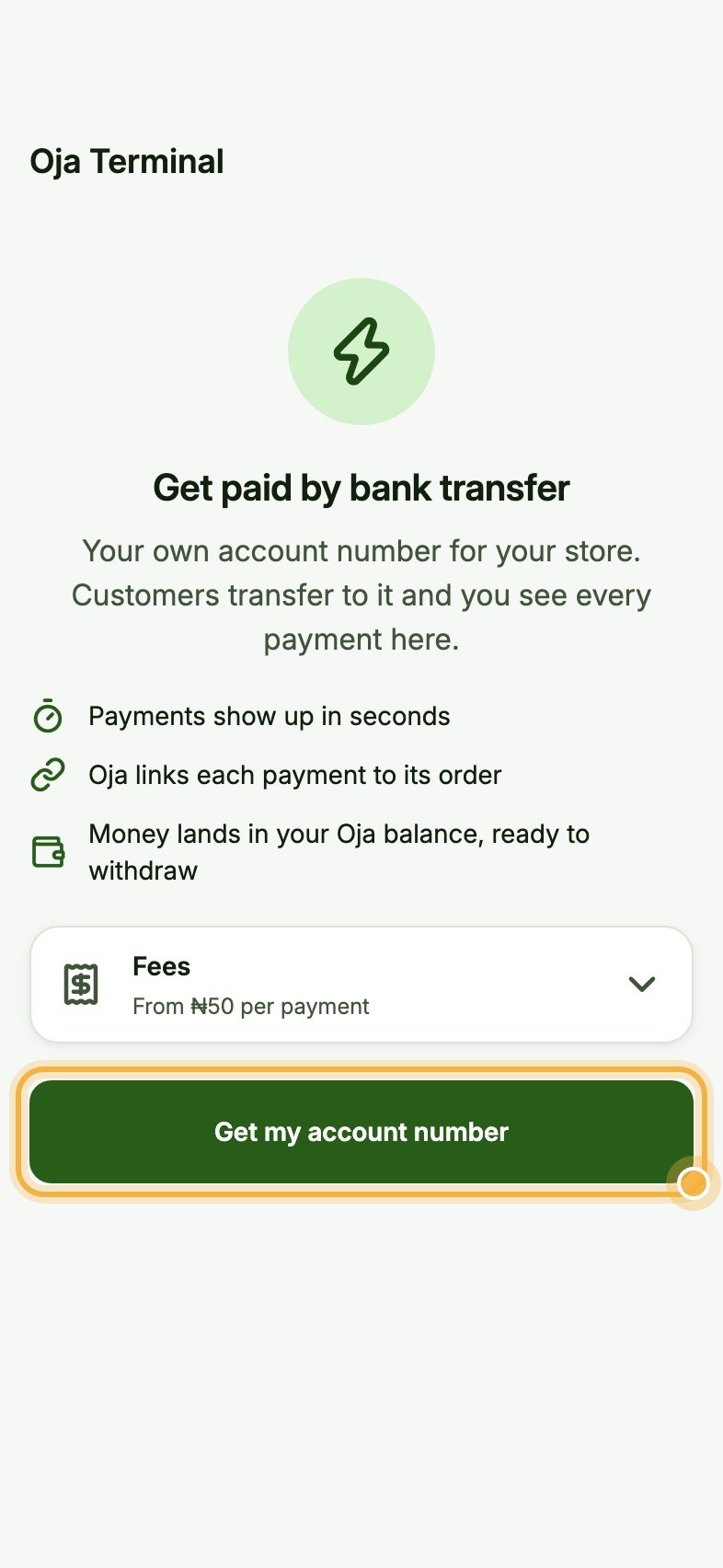
Tap Get my account number
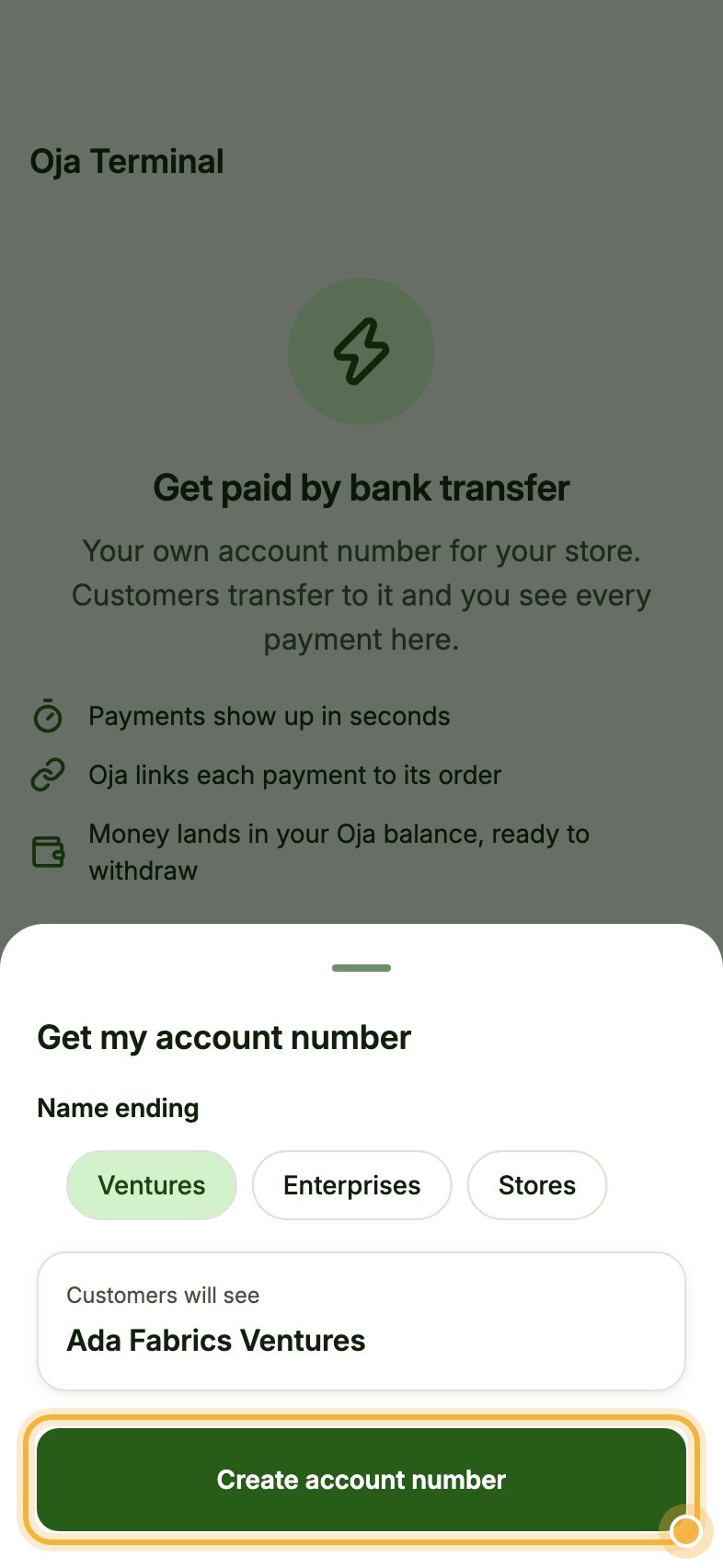
Oja shows what you get: payments show up in seconds, each payment is linked to its order, and the money lands in your Oja balance, ready to withdraw. Tap Fees to see the small charge per transfer, then tap Get my account number.
On the free plan, Oja first shows you how to move to Odogwu.
Choose how the name ends and create it
Pick how your account name ends, for example Ventures, Enterprises or Stores. Under Customers will see, Oja shows the name a customer's bank will display when they transfer, like Ada Fabrics Ventures.
Tap Create account number. It is usually ready in a few minutes.
Share your new account number
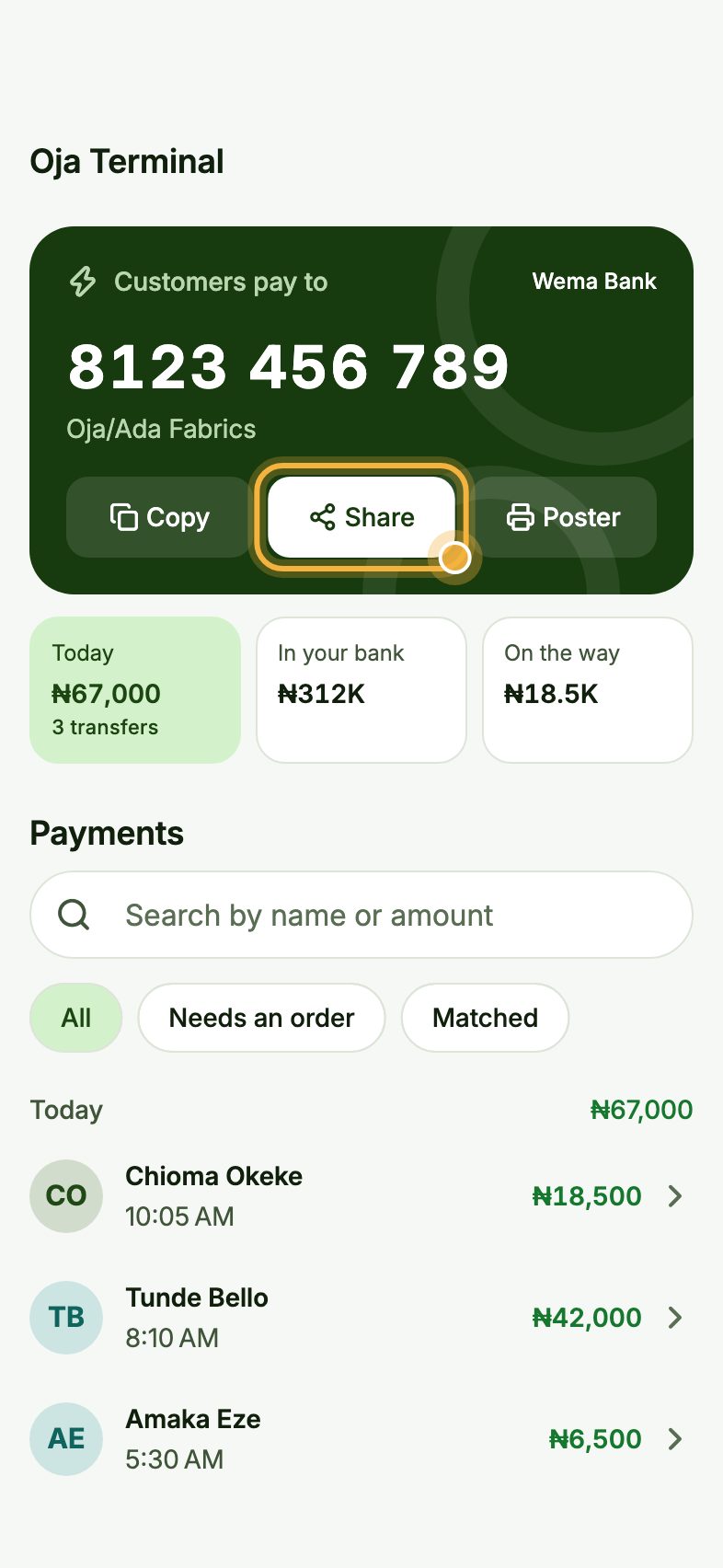
Your number is at the top under Customers pay to, with the bank and your shop's name. Tap Copy or Share to send it in any chat, or Poster to print it for your counter.
Every transfer shows under Payments with the sender's name, and you get a WhatsApp alert, so you never have to check a screenshot again.
Tips that save money
- Oja Terminal costs ₦50 per transfer under ₦1,000, ₦75 from ₦1,000 to ₦4,999 and ₦100 from ₦5,000. You choose who pays it: you or the customer.
- Moving from Kippa or Zuru? Bring your records into Oja and get Odogwu free for 3 months, account number included.
- Verify your business (NIN, address, CAC) to raise your withdrawal limits. Buyers trust a verified shop more.
Open your free account
Oja is free to start. Download the app, open your store in minutes and follow this guide on your own phone.
Start selling free