
Create a free online store with its own link in minutes, add your products and start sharing it on WhatsApp, Instagram and TikTok. No developer, no hosting bill.
You do not need a developer, a hosting plan or dollars to sell online. With Oja you get your own store link the moment you sign up, with checkout, delivery fees and Naira payments built in. Customers order from the link and the order lands in your app.
Before you start
- Download the Oja app from the App Store or Google Play, or go to useoja.com.
- Have a name for your store and a few product photos on your phone.
- That is all. There is nothing to pay to start.
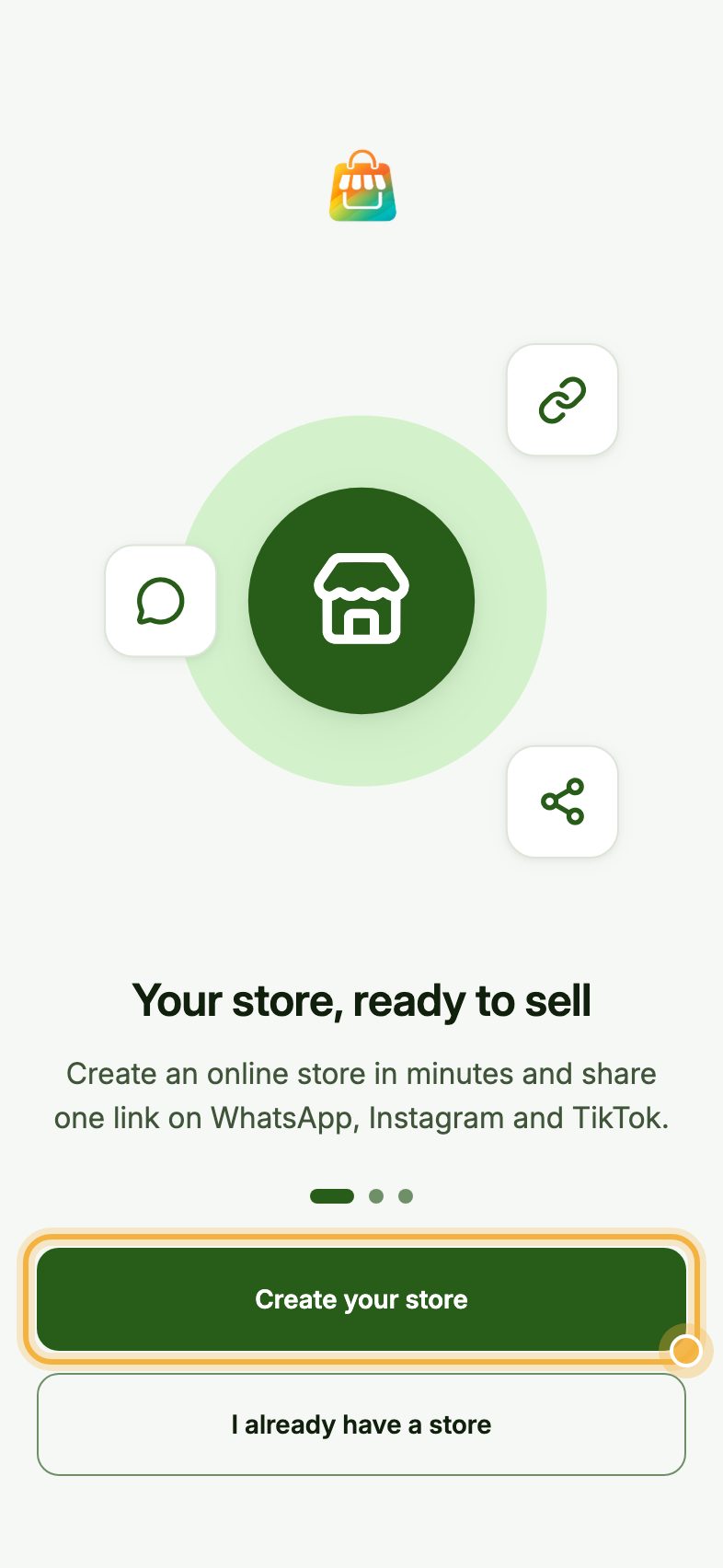
Tap Create your store
Open the Oja app and tap Create your store.
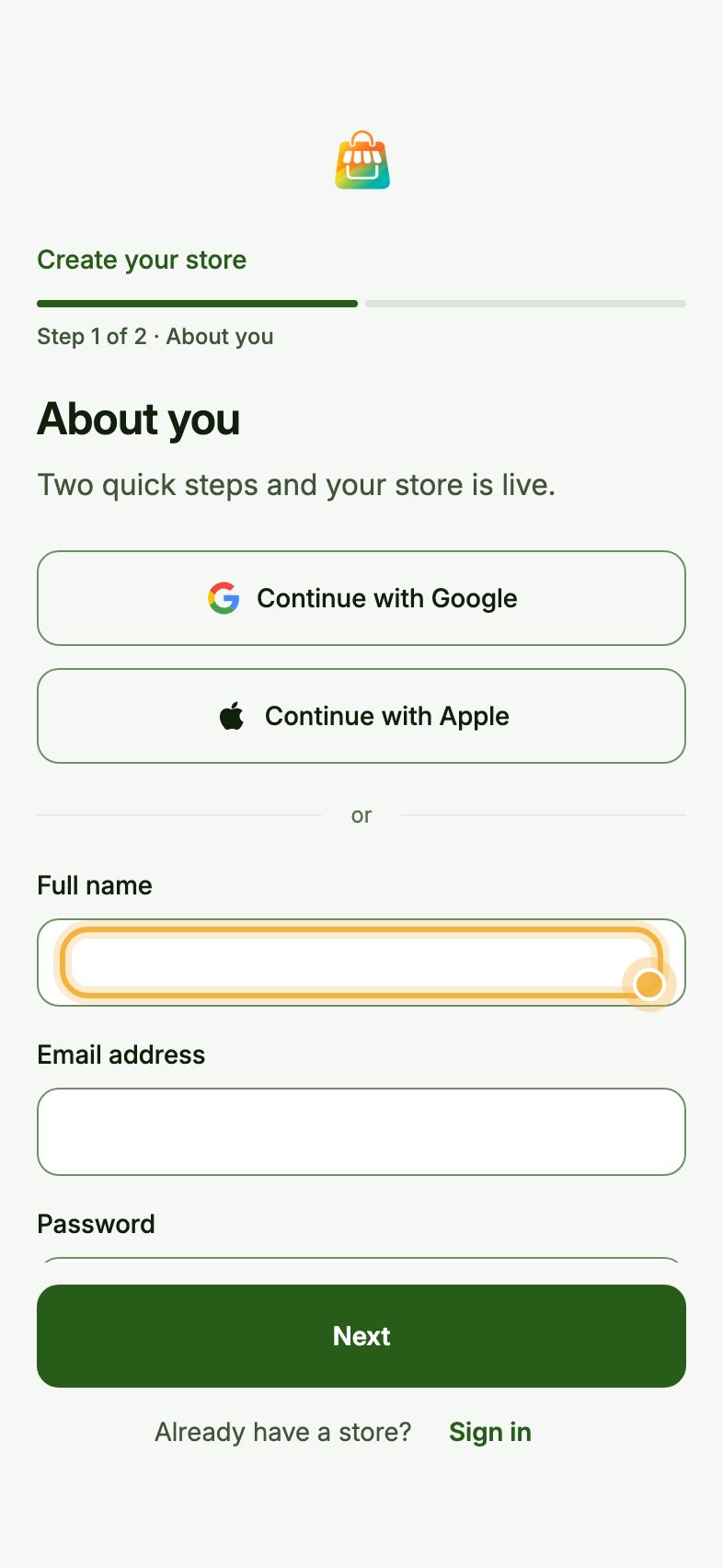
Sign up and name your store
Use Continue with Google or Continue with Apple, or type your name, email and a password and tap Next.
Then type your store name. Oja checks your link while you type, like adafabrics.useoja.com, and suggests others if it is taken. Tap Create my store. Your store is live.
Add your first products
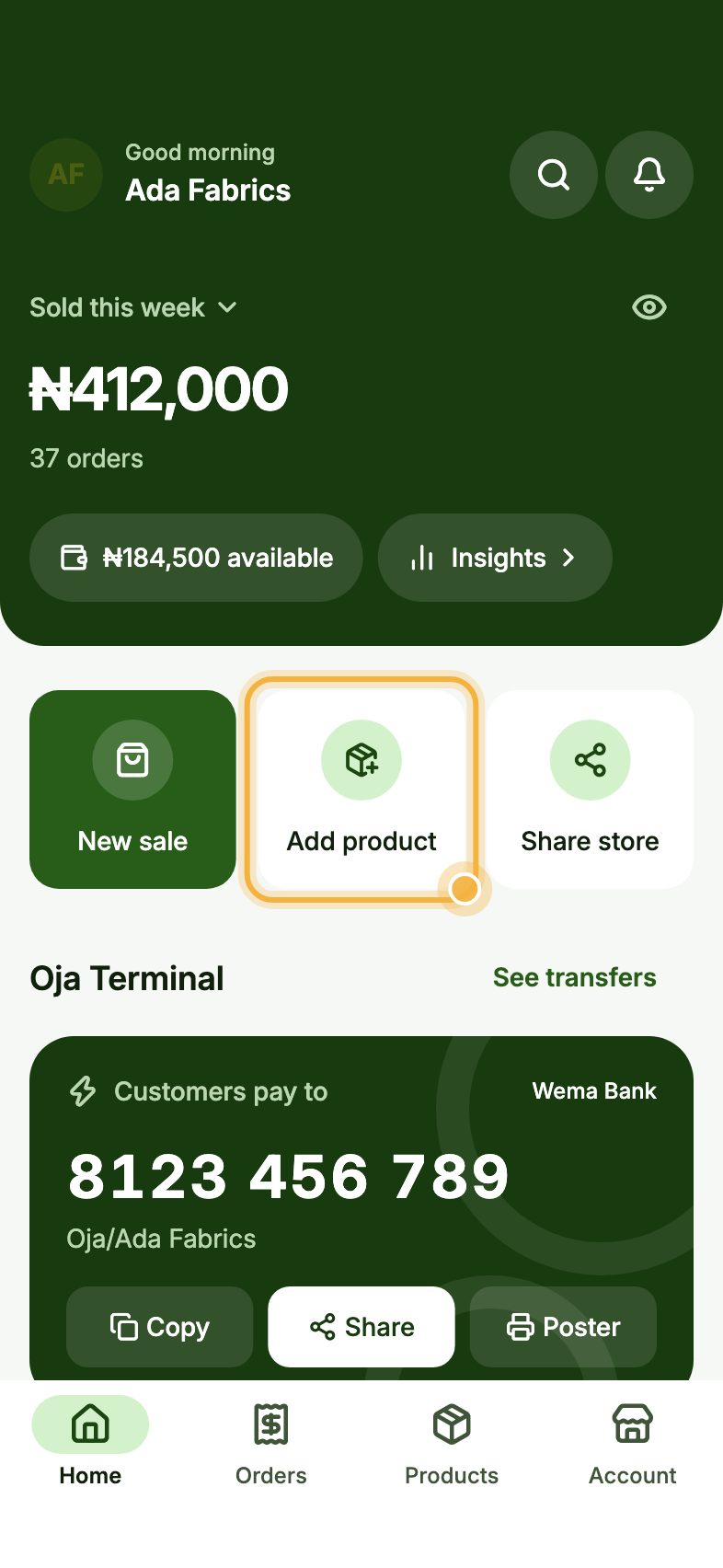
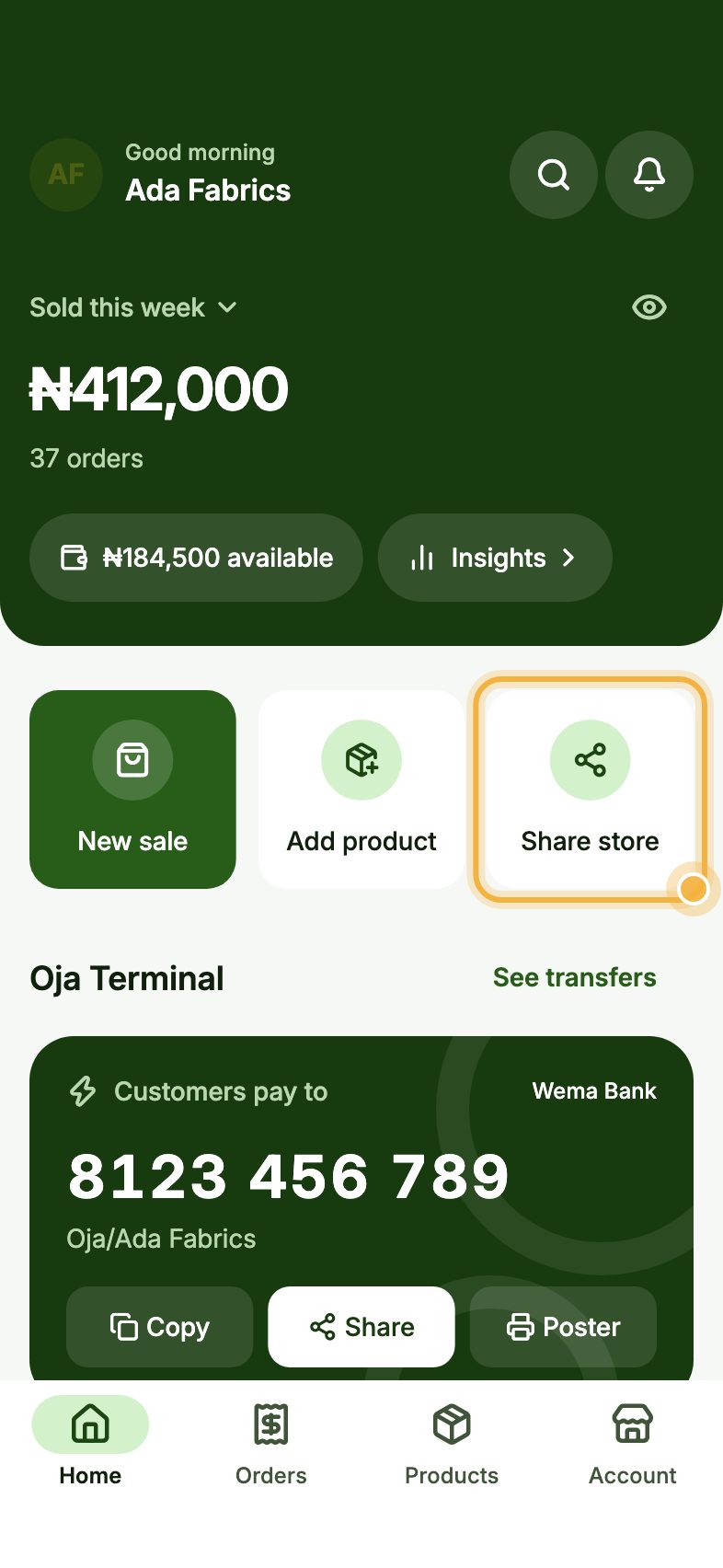
On Home, tap Add product. Add a photo, the name, the price and how many you have, then publish. It shows on your store straight away.
Share your store link
Tap Share store on Home and post your link on your WhatsApp status, in your Instagram and TikTok bio, and in chats with customers.
When someone orders, they pay at checkout by card, transfer or USSD and you get a notification with the order.
Tips that bring orders
- Set your delivery areas and fees (Account, then Delivery) so customers see the full price at checkout.
- Clear, bright photos on a plain background sell better than anything you can write.
- Share one product at a time on your status with its own link, not only the whole store.
Create your store
Oja is free to start. Download the app and have your store link ready in minutes.
Start selling free