
Tell buyers where you deliver and what it costs. Add delivery areas with fees, offer free pickup, and let customers choose at checkout on your Oja store.
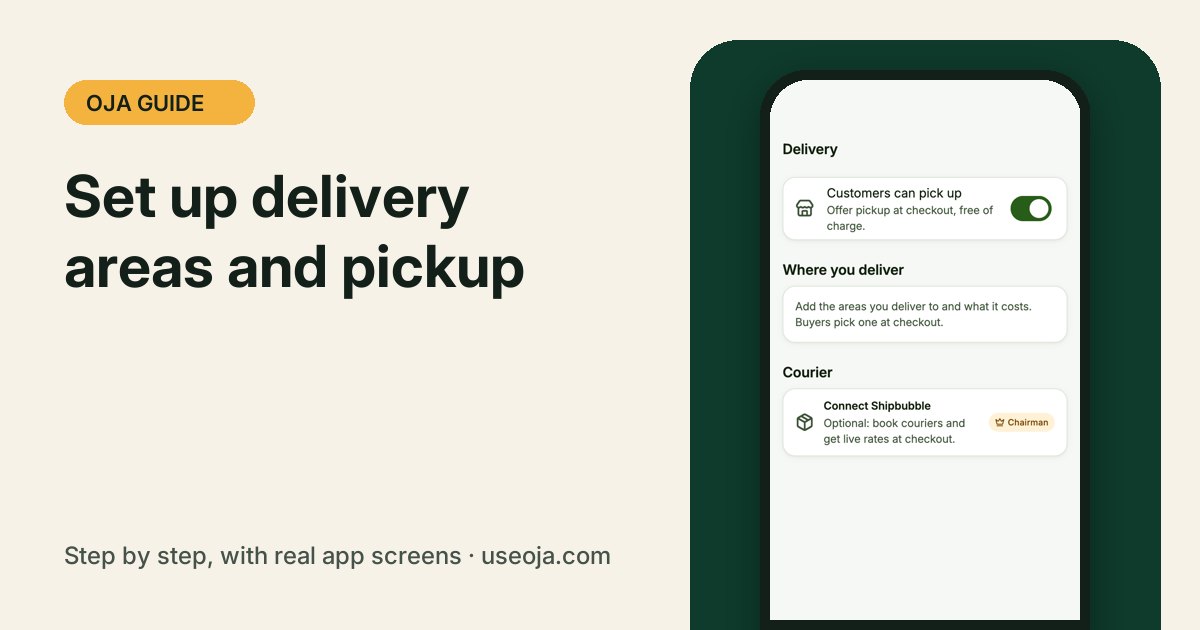
Clear delivery fees mean fewer questions in your DMs and more finished orders. Set the areas you deliver to once, and buyers pick one at checkout on your store.
Before you start
- Know the areas you deliver to and your fee for each.
- Decide if customers can pick up from your shop.
1
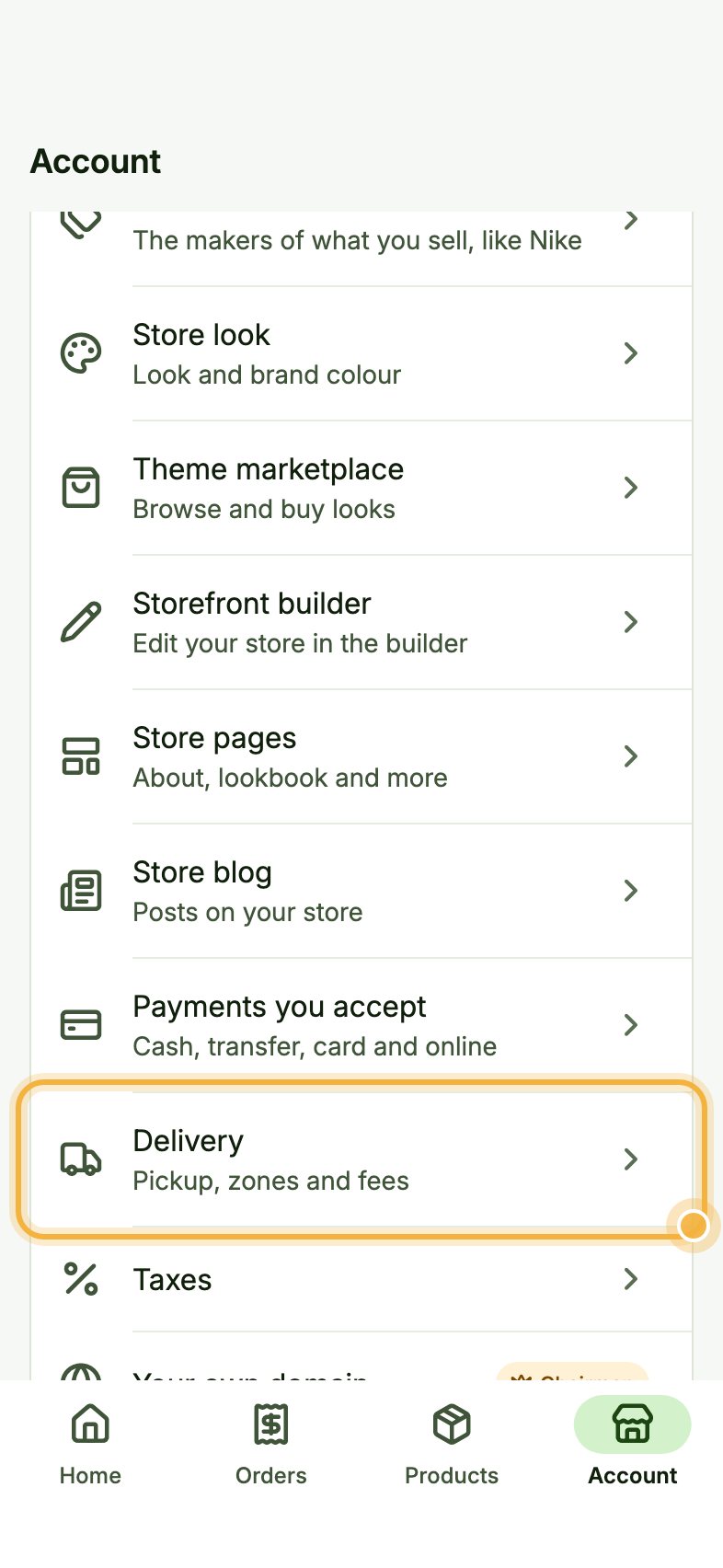
Open Account, then Delivery
Go to the Account tab. Under Your store, tap Delivery ("Pickup, zones and fees").
2
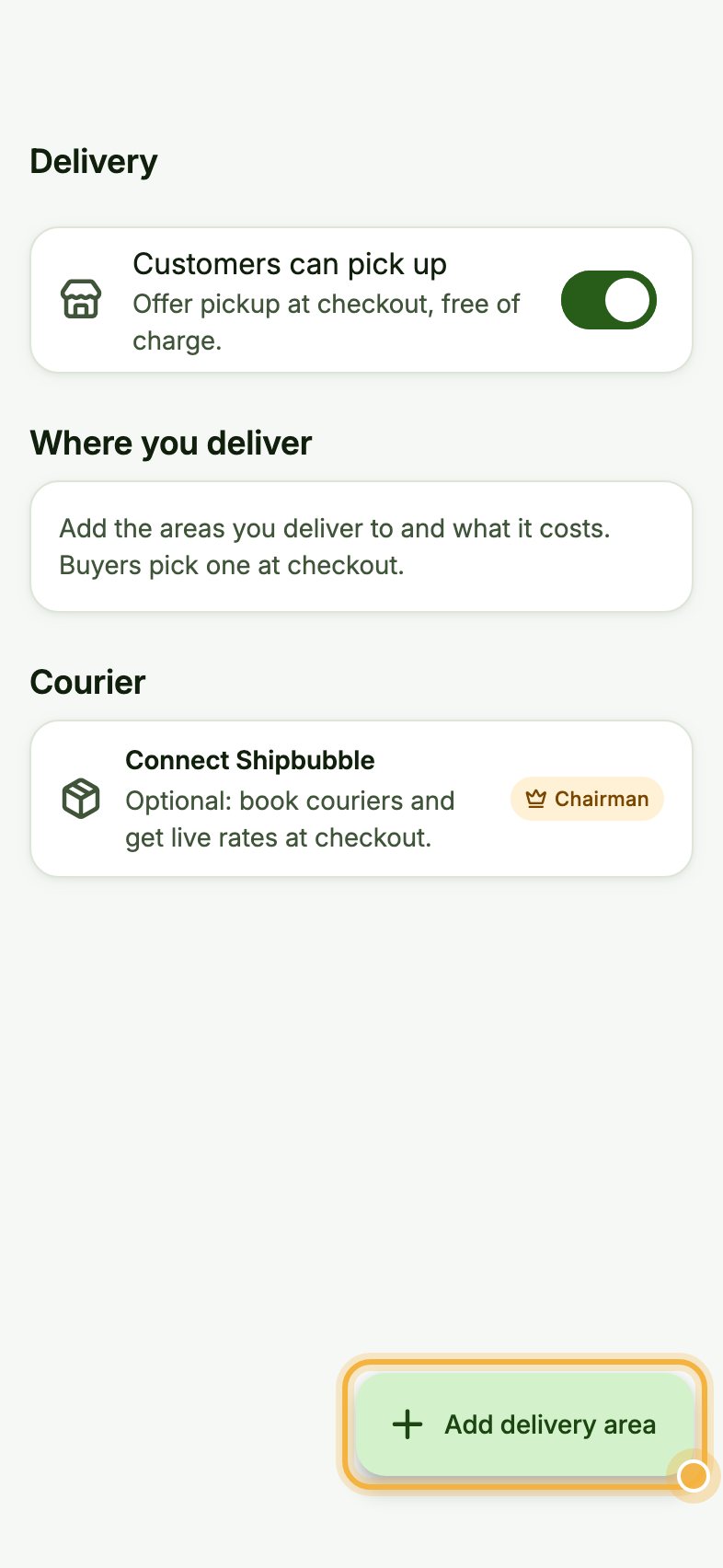
Add a delivery area
Tap Add delivery area. Give it a name buyers recognise, like "Lekki and Ajah", and set the fee. Add one area for each price you charge.
3
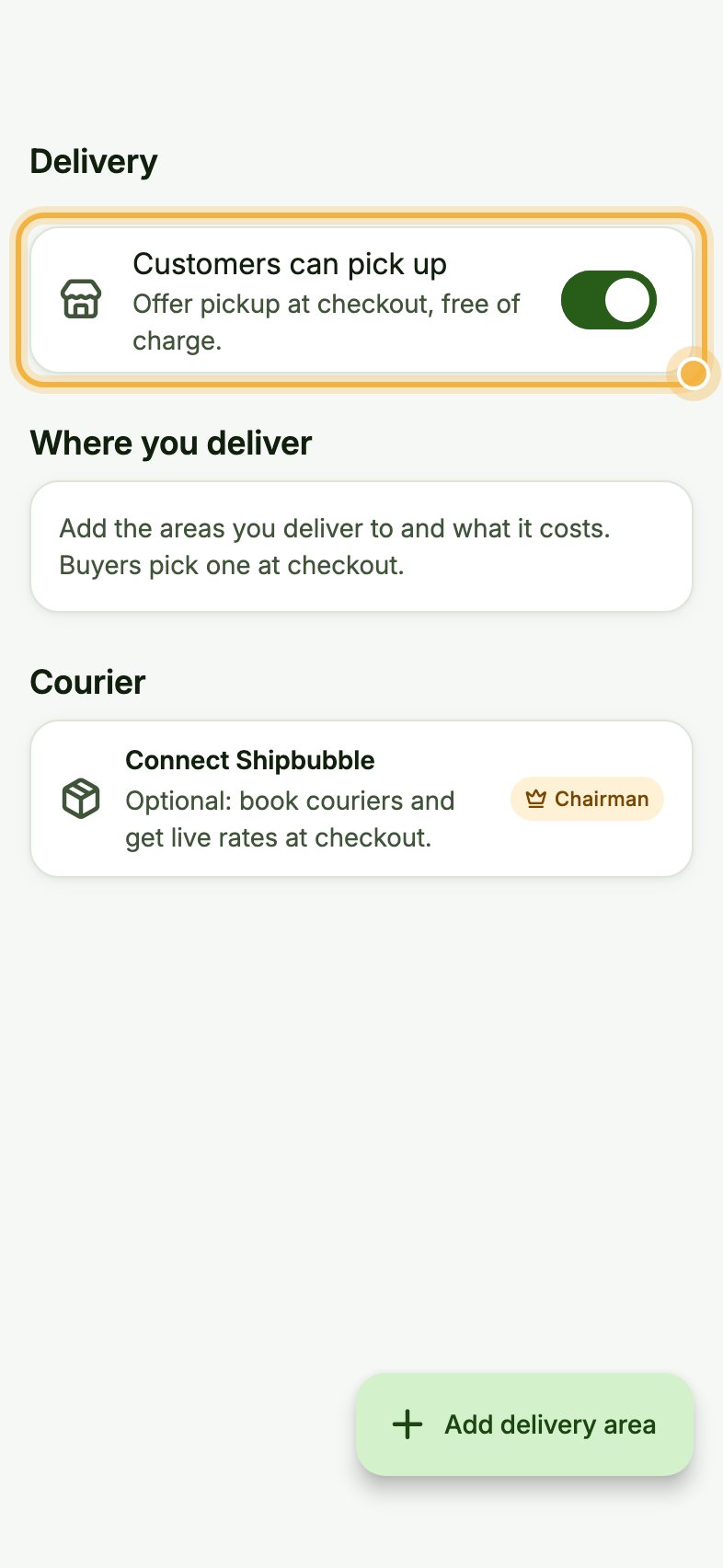
Offer pickup
Turn on Customers can pick up to offer pickup at checkout, free of charge.
Which plan has it:Every plan. The free Apprentice plan has up to 2 delivery areas; Odogwu and Chairman are unlimited. Shipbubble courier booking comes with Chairman.
Tips that save time
- Name areas the way your customers say them.
- On Chairman, Connect Shipbubble to book couriers and show live rates at checkout.
- Track every order on the way from the Deliveries tab in Orders.
Try it in the Oja app
Oja is free to start. Download the app, open your store in minutes and follow this guide on your own phone.
Start selling free