
Create an Oja Flash payment link in seconds and send it on WhatsApp, Instagram or any chat. Your customer pays by card, transfer or USSD, no account needed.
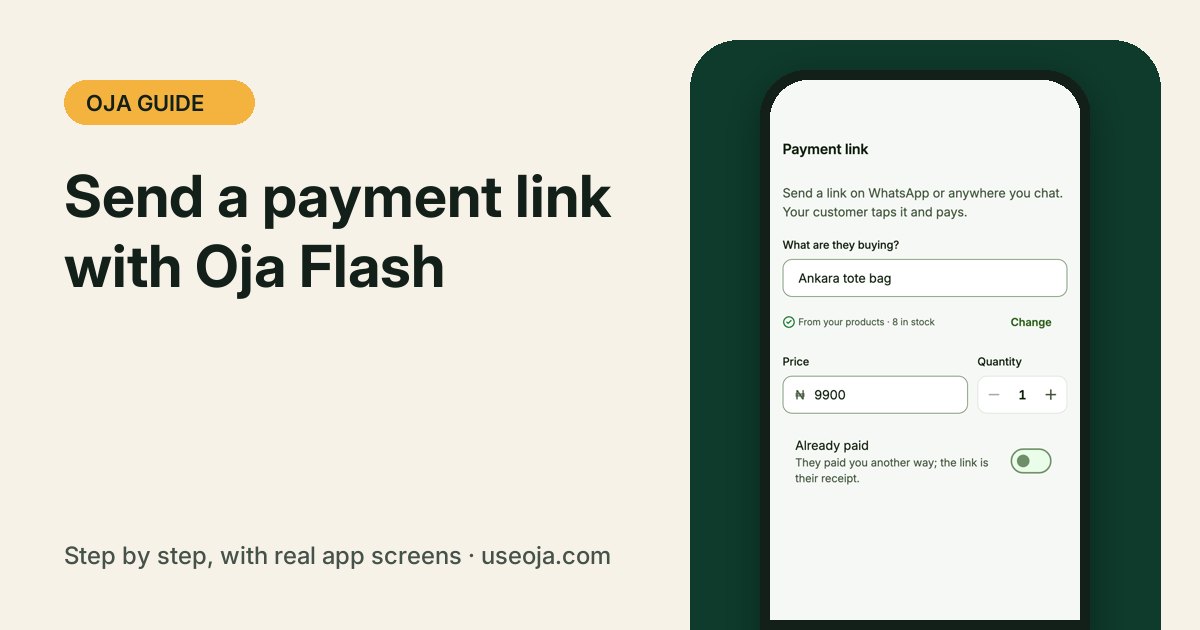
Selling in the DMs? Oja Flash turns any amount into a payment link. Send it in the chat, your customer taps it and pays, and the sale lands in your records automatically.
Before you start
- Sign in to the Oja app.
- Have the customer's chat open on WhatsApp, Instagram or wherever you sell.
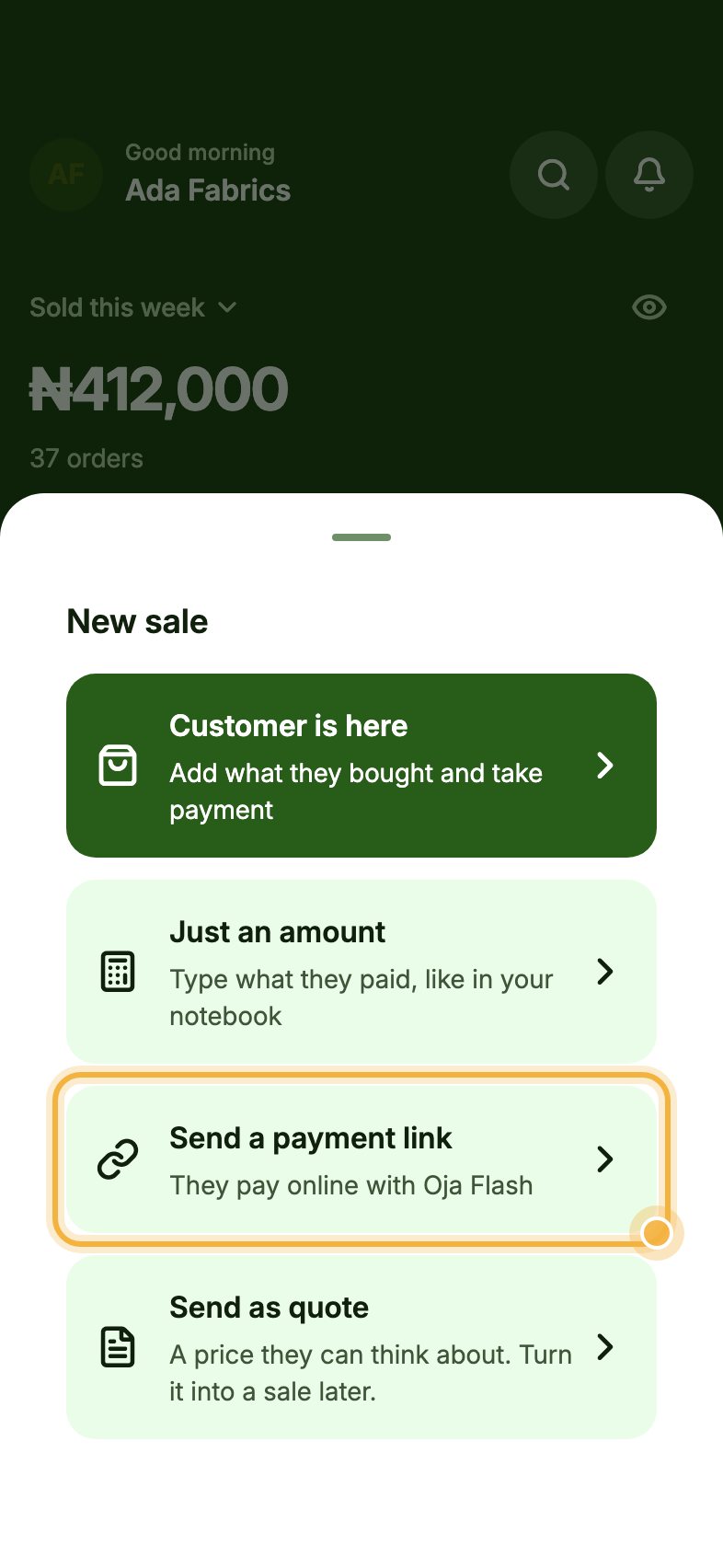
Tap New sale, then Send a payment link
On Home, tap New sale, then Send a payment link ("They pay online with Oja Flash").
Say what they are buying, then Create link
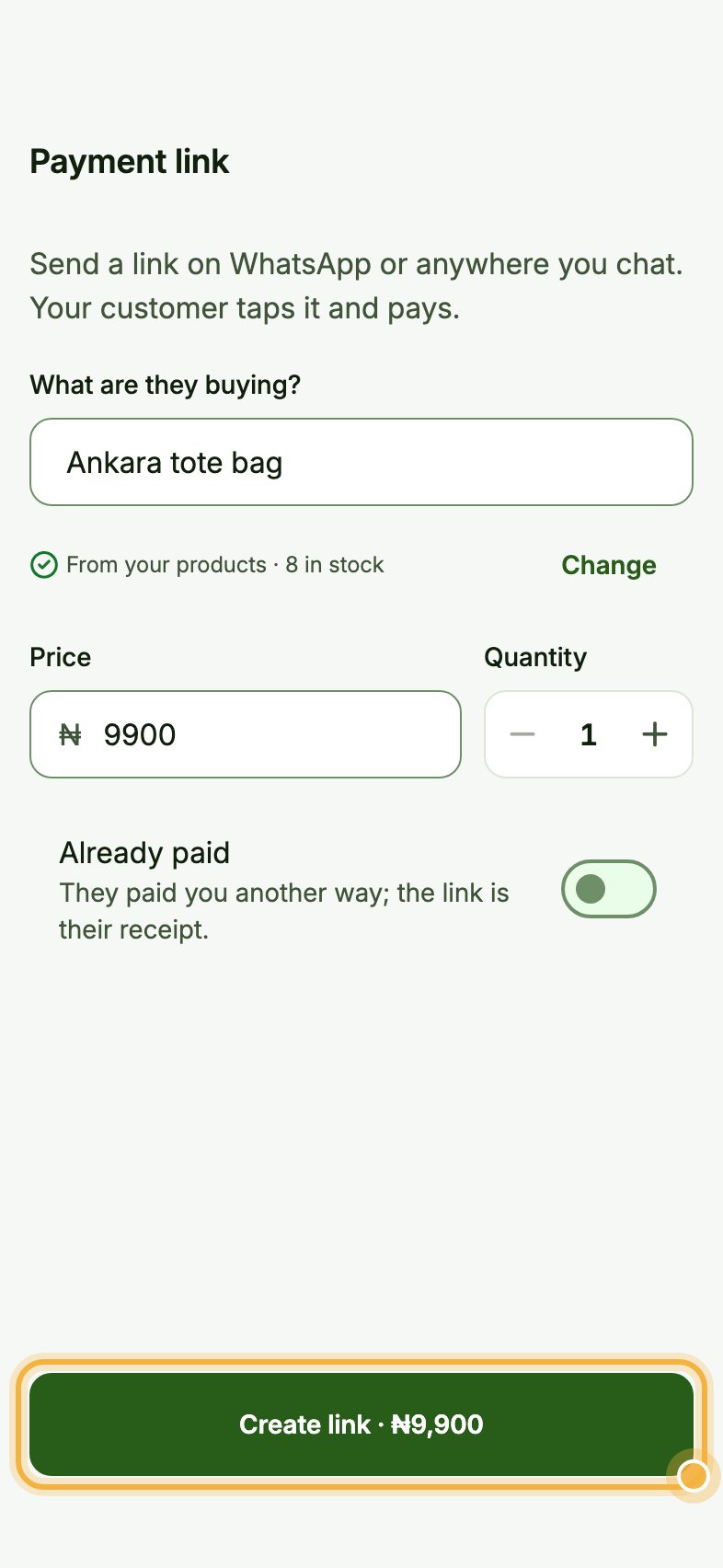
Under What are they buying? type the item. Oja suggests matches From your products; tap one to fill it in, or type anything that is not in your catalogue.
Check the Price and Quantity, then tap Create link. The button shows the total, like Create link · ₦9,900. Share the link in your customer's chat.
Tips that save time
- Already got paid another way? Turn on Already paid and the link becomes their receipt.
- Use a payment link for one-off jobs, repairs or bundles that are not in your products.
- Every Oja Flash sale shows in Orders, Analytics and your money like any other sale.
Try it in the Oja app
Oja is free to start. Download the app, open your store in minutes and follow this guide on your own phone.
Start selling free