
Add products to your Oja store in under a minute: photo, name, price and stock. Then add sizes, colours, discounts and categories when you need them.
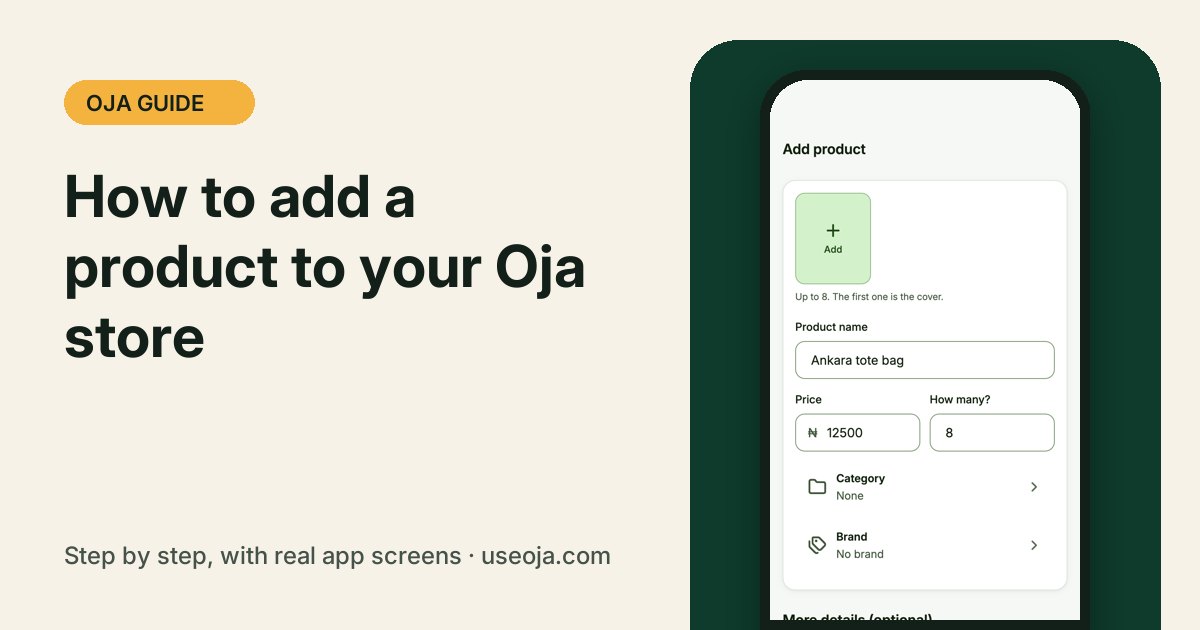
Every product you add appears in your online store, in New sale at the counter and in your stock count. Start with the basics in seconds, then add the details when you are ready.
Before you start
- Take a clear photo of the product in good light. You can add up to 8 photos.
- Know your price and how many you have in stock.
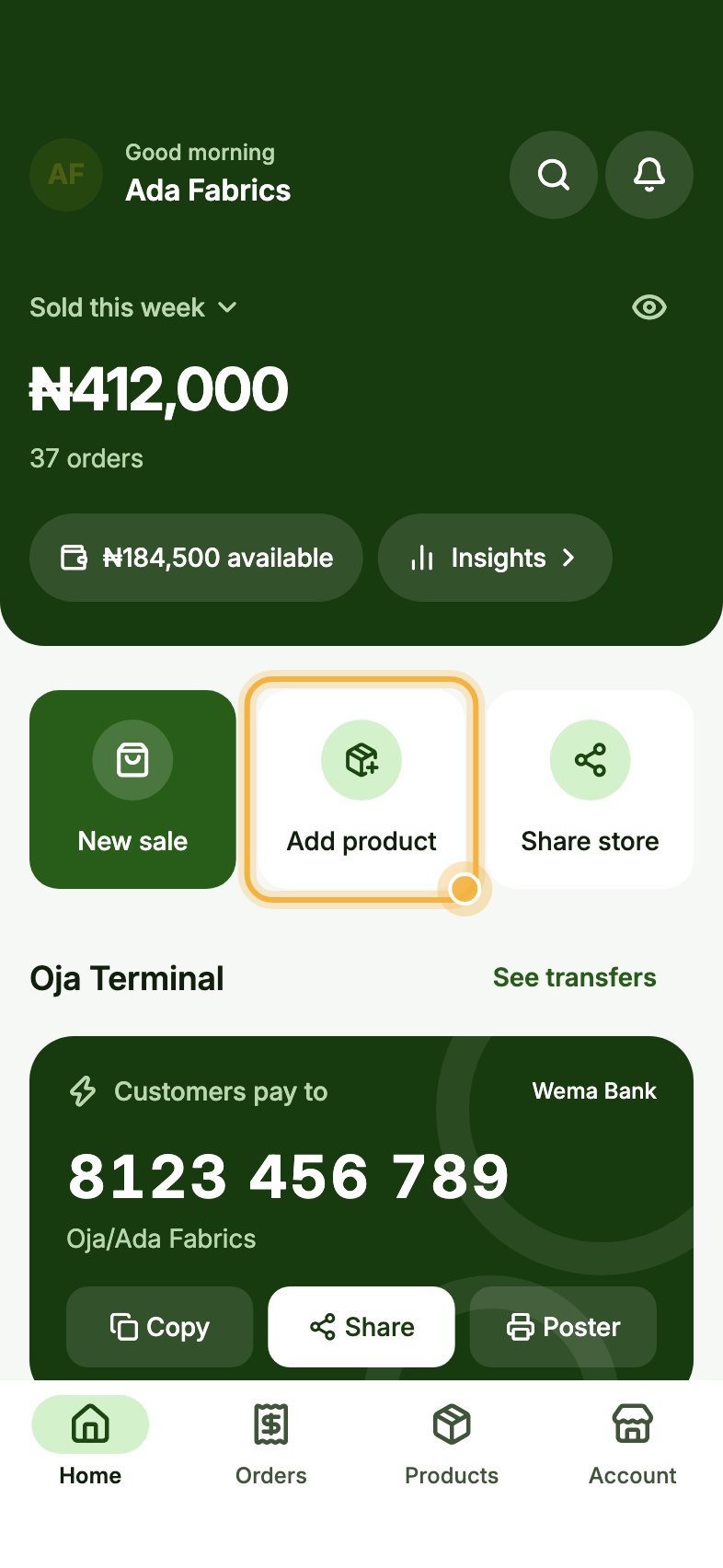
Tap Add product on Home
On Home, tap Add product. You can also go to the Products tab and tap Add product at the bottom.
Fill in Quick add, or open the full form
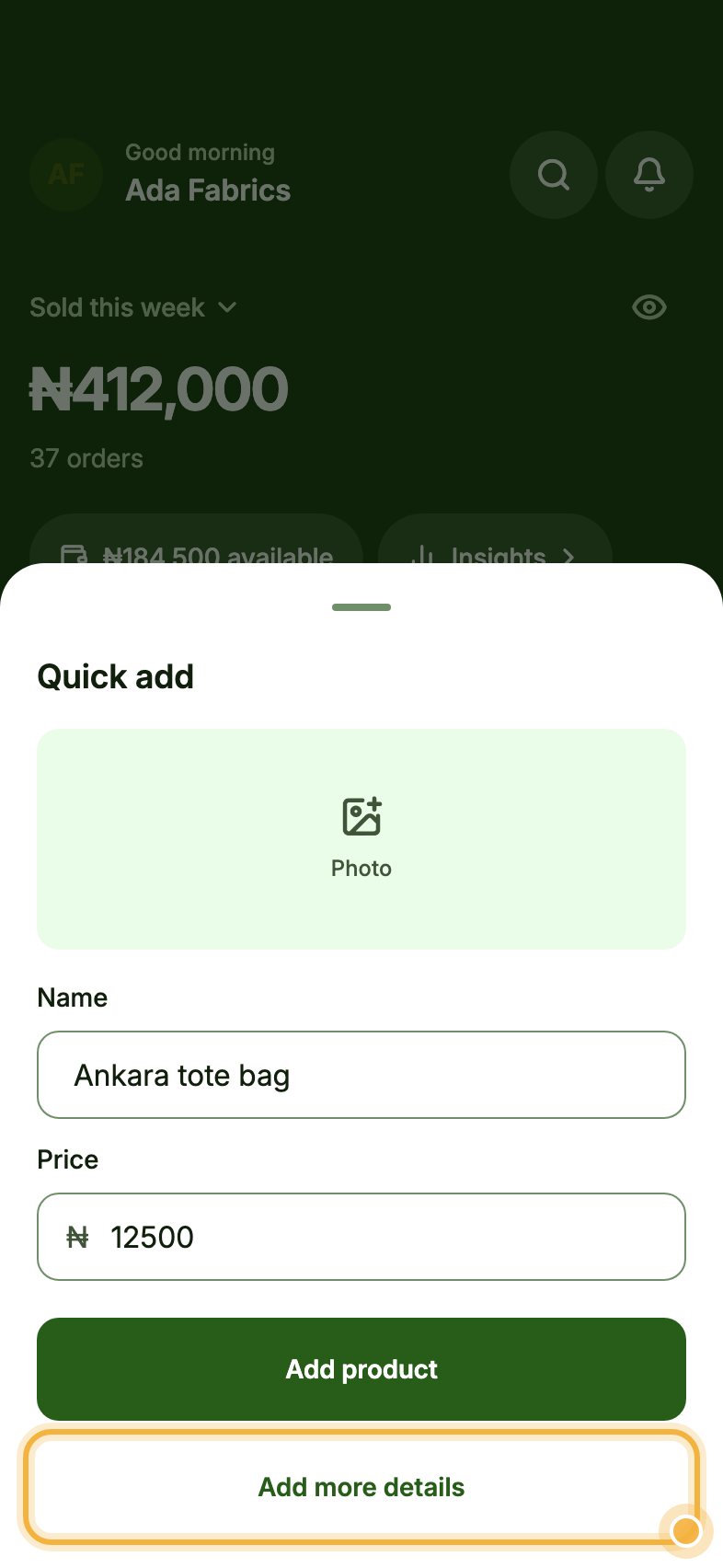
Quick add opens. Add a Photo, type the Name and the Price, then tap Add product to save it straight away.
Want sizes, colours or stock? Tap Add more details to open the full product form.
Add stock and details, then Publish
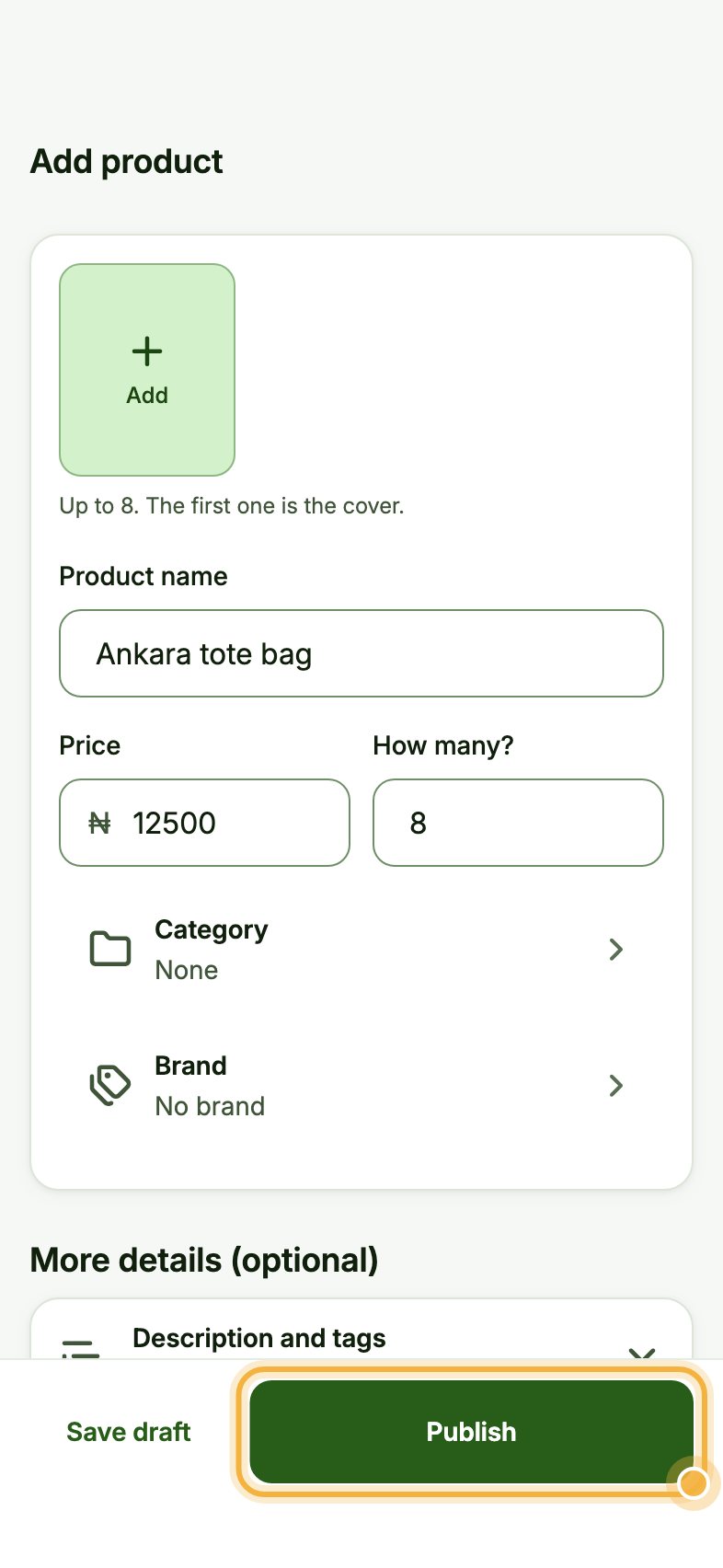
On Add product, check the name and price, and type How many? you have. Choose a Category and Brand to keep things organised.
Under More details (optional) you can add a description and tags, a sale price, discount and cost, sizes, colours and other options, stock settings, and the product type and delivery. Tap Publish to make it live, or Save draft to finish later.
Tips that save time
- The first photo is the cover: use your best one.
- Add your cost price so Oja can show the profit you really keep.
- Set a low stock alert so Oja tells you before you run out.
- Moving from another app or Excel? Use Bring your records in Account to import products in one go.
Try it in the Oja app
Oja is free to start. Download the app, open your store in minutes and follow this guide on your own phone.
Start selling free