
Verify your business on Oja in three short steps: your NIN, your address and your CAC details. Get higher withdrawal limits and more trust from buyers.
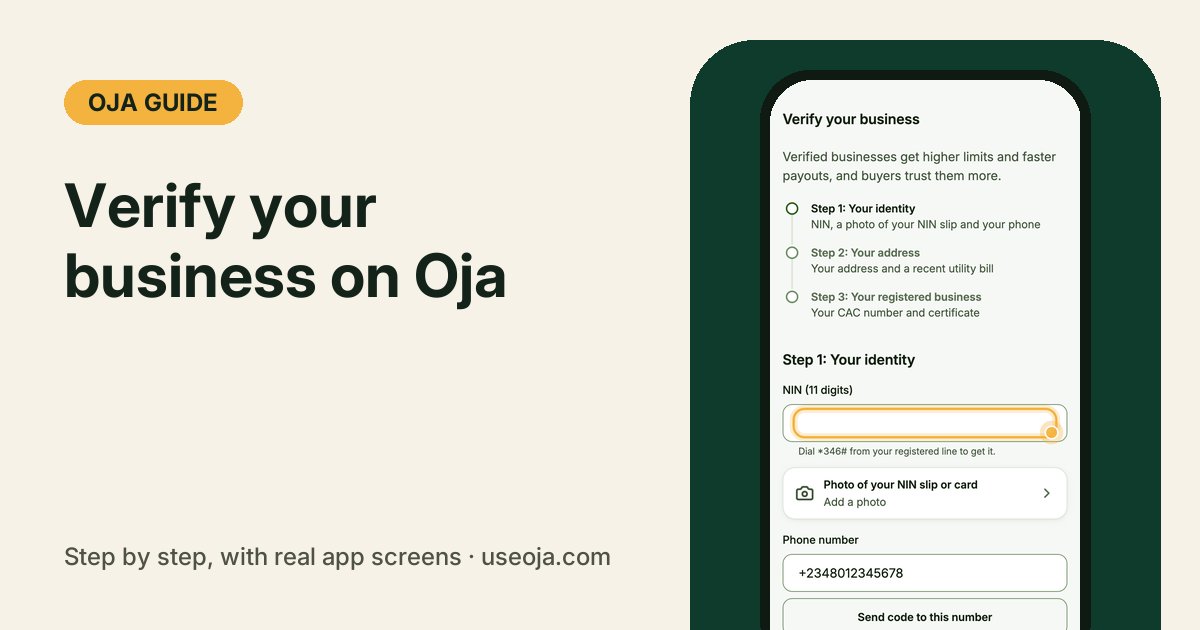
You can sell on Oja from the day you sign up. Verifying your business is how you unlock higher limits and faster payouts, and buyers trust a verified shop more. It takes three short steps, and you can do them one at a time.
What you need
- Step 1, your identity: your 11-digit NIN, a photo of your NIN slip or card, and your phone. Forgot your NIN? Dial \*346# from the line you registered with.
- Step 2, your address: your business or home address and a utility bill from the last 3 months.
- Step 3, your registered business: your CAC number (like BN 1234567 or RC 1234567) and your certificate. Not registered yet? You can register through Oja.
Open Verify your business
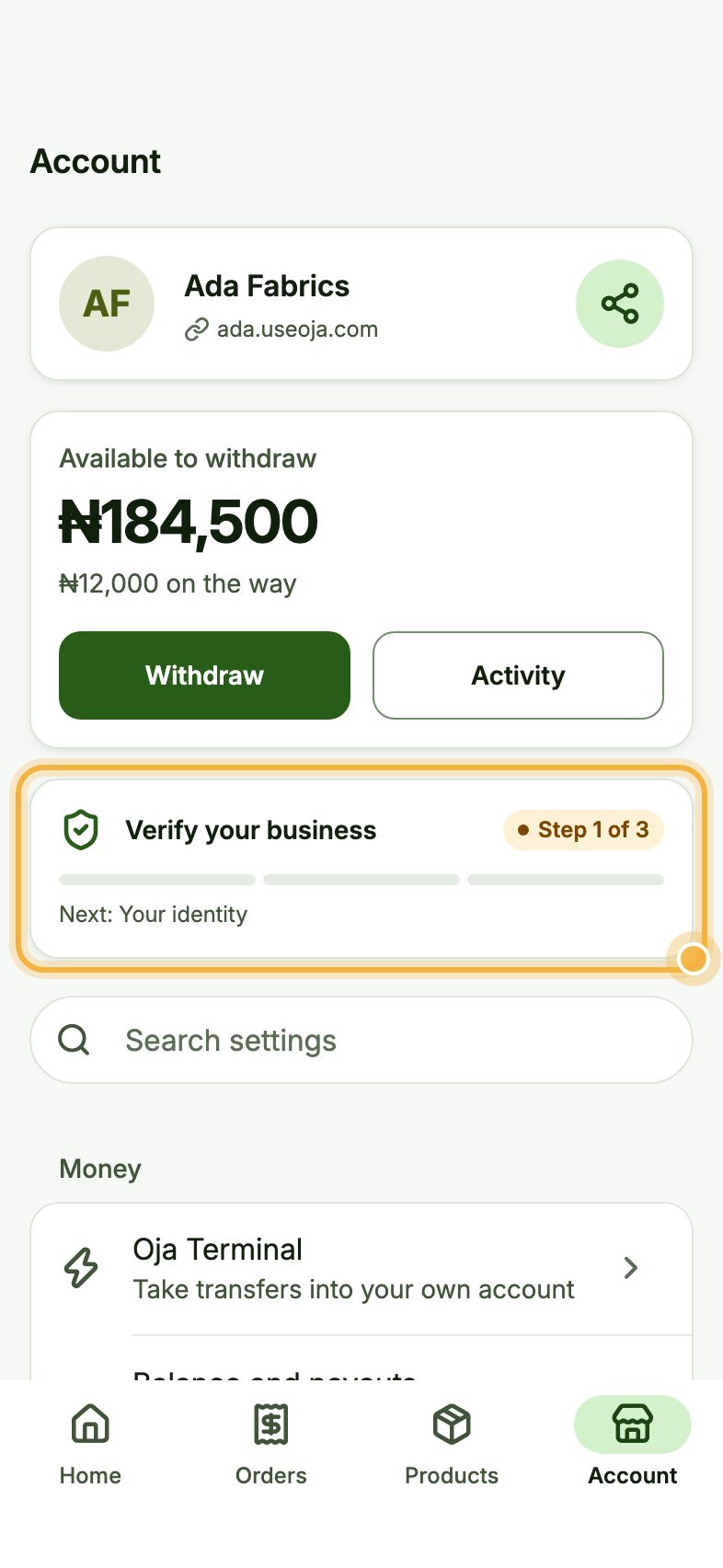
Go to the Account tab. Near the top, tap Verify your business. It shows the step you are on, like Step 1 of 3.
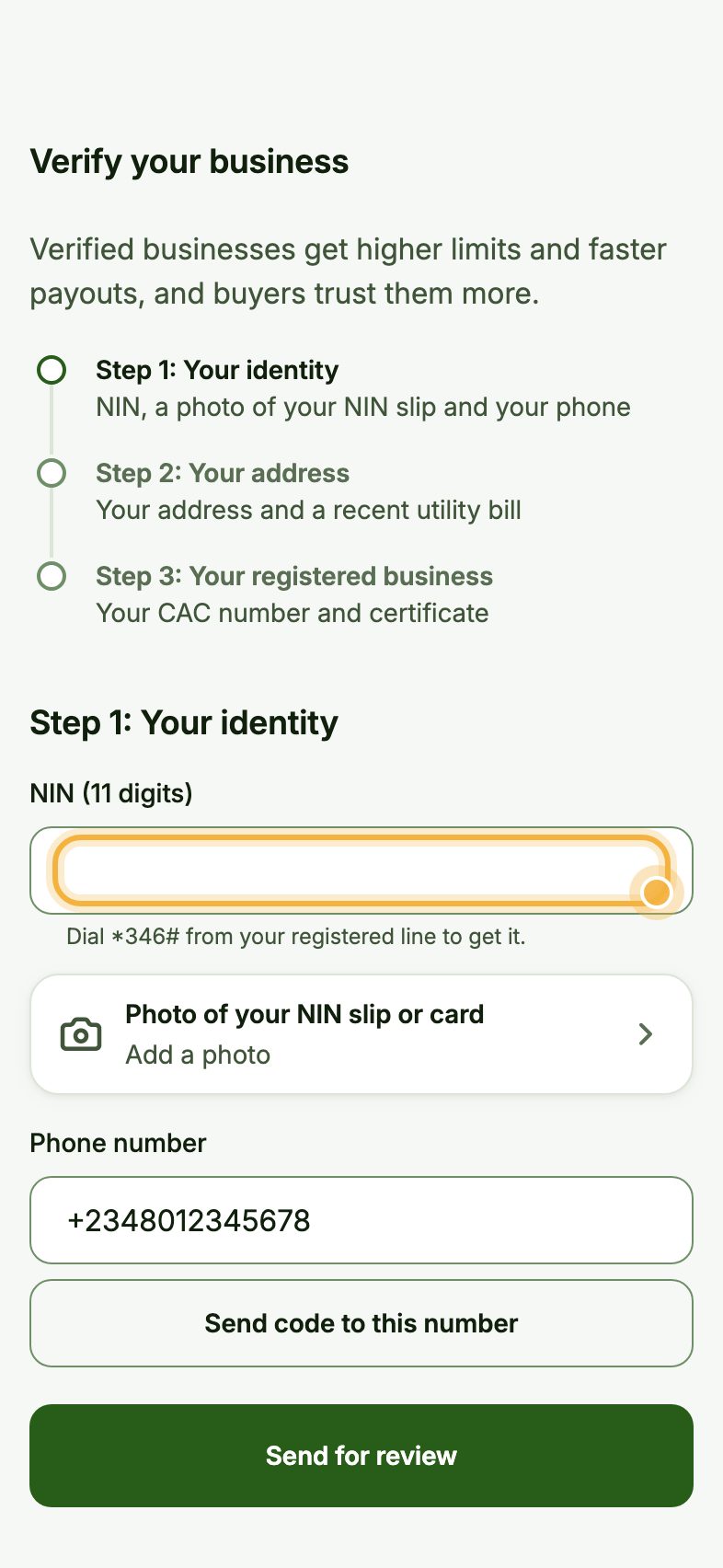
Fill in the step you are on
For Step 1: Your identity, type your NIN, tap Photo of your NIN slip or card to take or choose a photo, and tap Send code to this number to confirm your phone.
For photos, use a flat surface and good light, with all four corners in view and no glare.
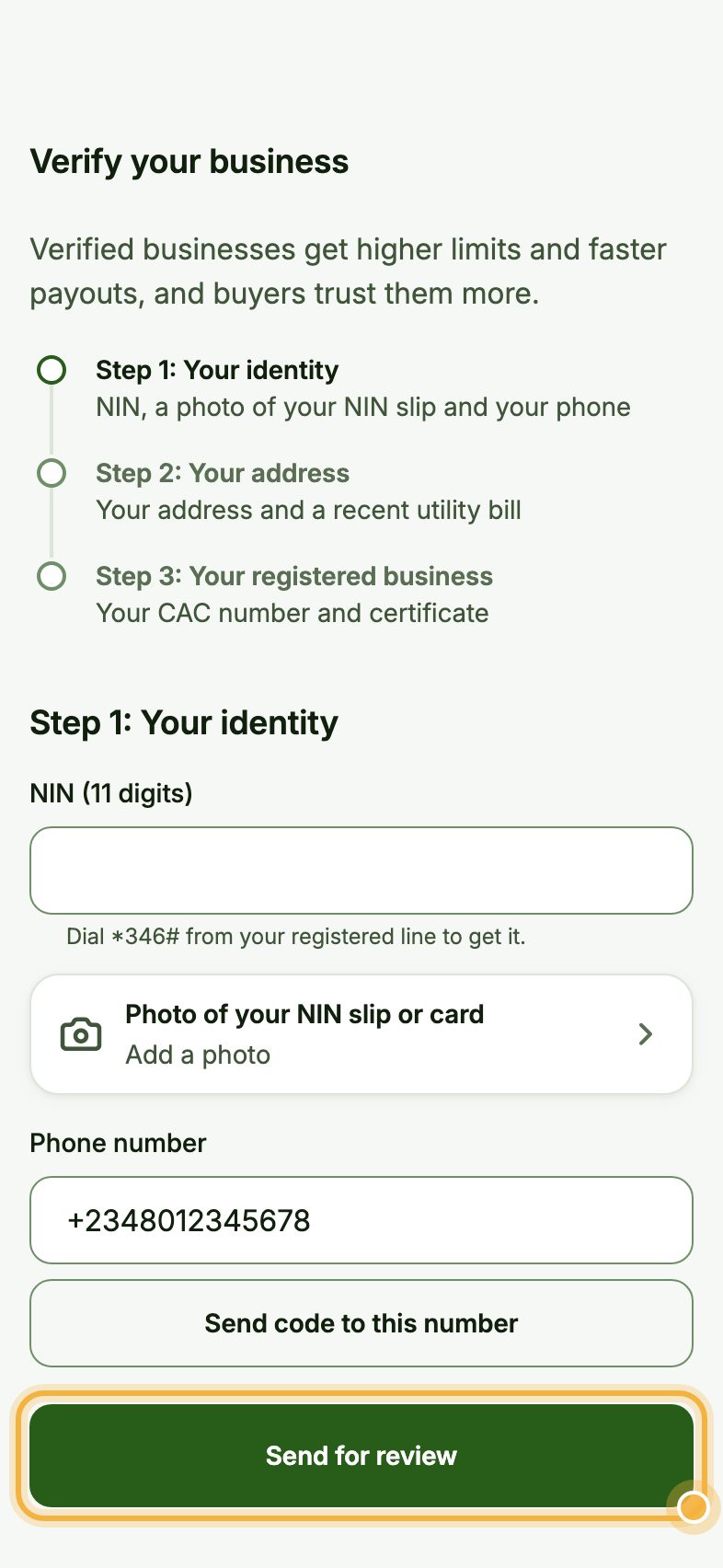
Send it for review
Tap Send for review. Checking usually takes 1 to 2 working days, and Oja lets you know.
When a step is approved, come back for the next one. If something did not match, Oja tells you what to send again.
Tips for a quick approval
- Use the same name on your NIN, your bank account and your Oja profile.
- Take photos of the original document, not a screenshot of a photo.
- Use a utility bill from the last 3 months that shows the same address you typed.
Try it in the Oja app
Oja is free to start. Download the app, open your store and verify your business when you are ready.
Start selling free