
Make customers feel remembered. Oja sends your own birthday message by WhatsApp or email on the day, automatically, so they come back and buy again.
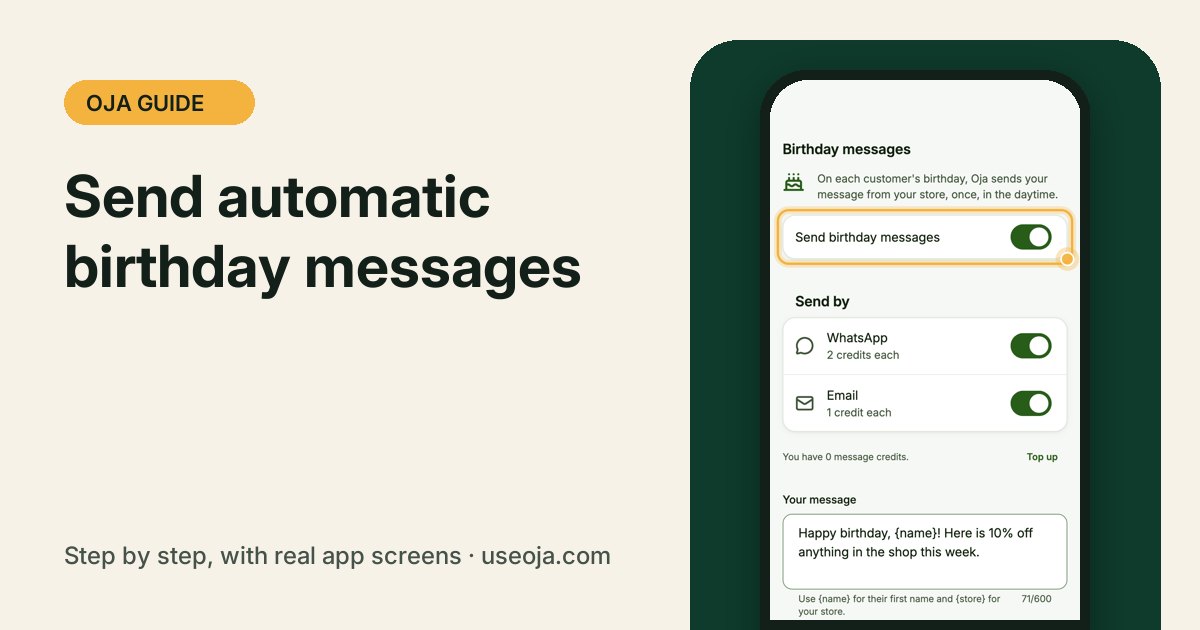
A birthday message with a small treat is one of the easiest ways to bring a customer back. Set it once in Oja and it goes out on the day, from your store, in the daytime.
Before you start
- Save customers' birthdays (day and month) on their profile.
- Have message credits: 2 per WhatsApp message, 1 per email.
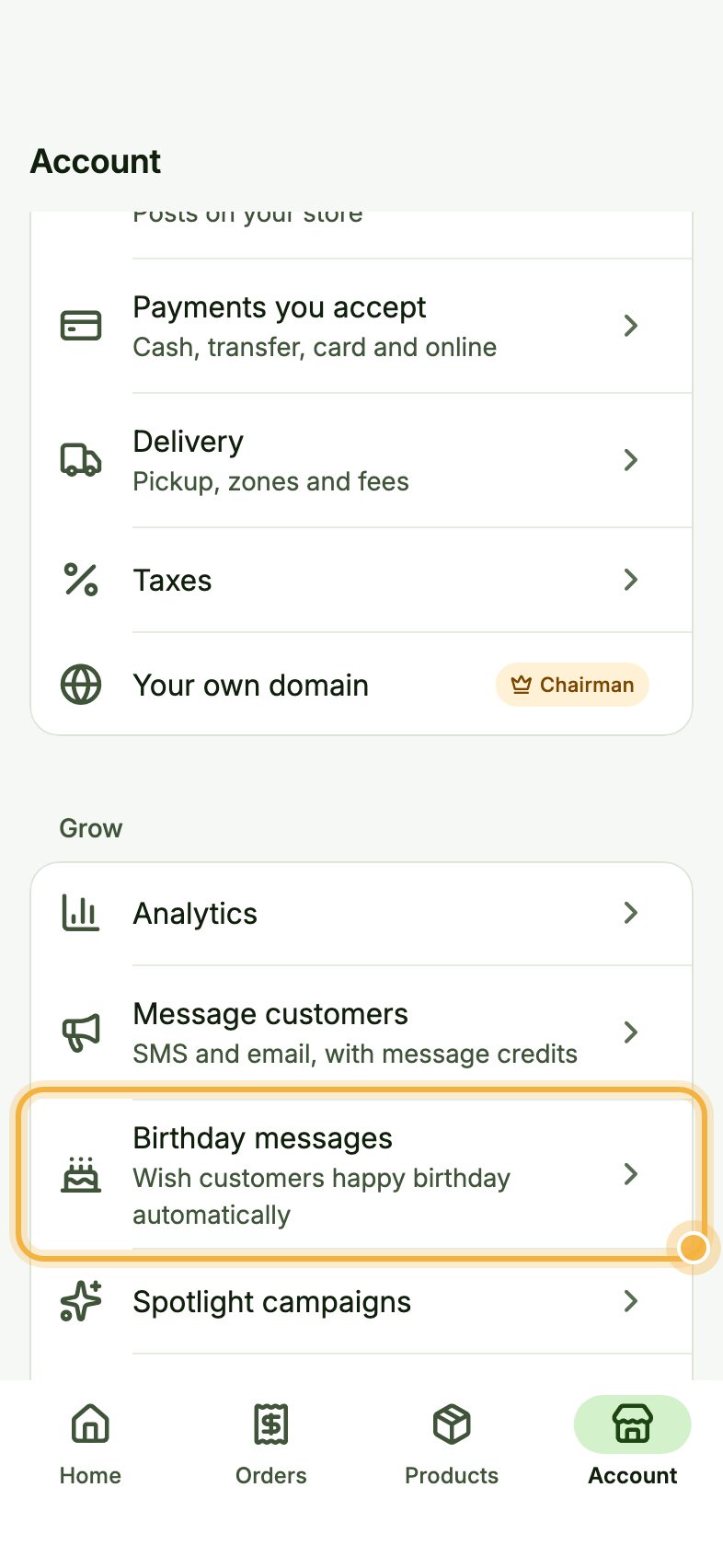
Open Account, then Birthday messages
Go to the Account tab. Under Grow, tap Birthday messages ("Wish customers happy birthday automatically").
Turn it on and choose how to send
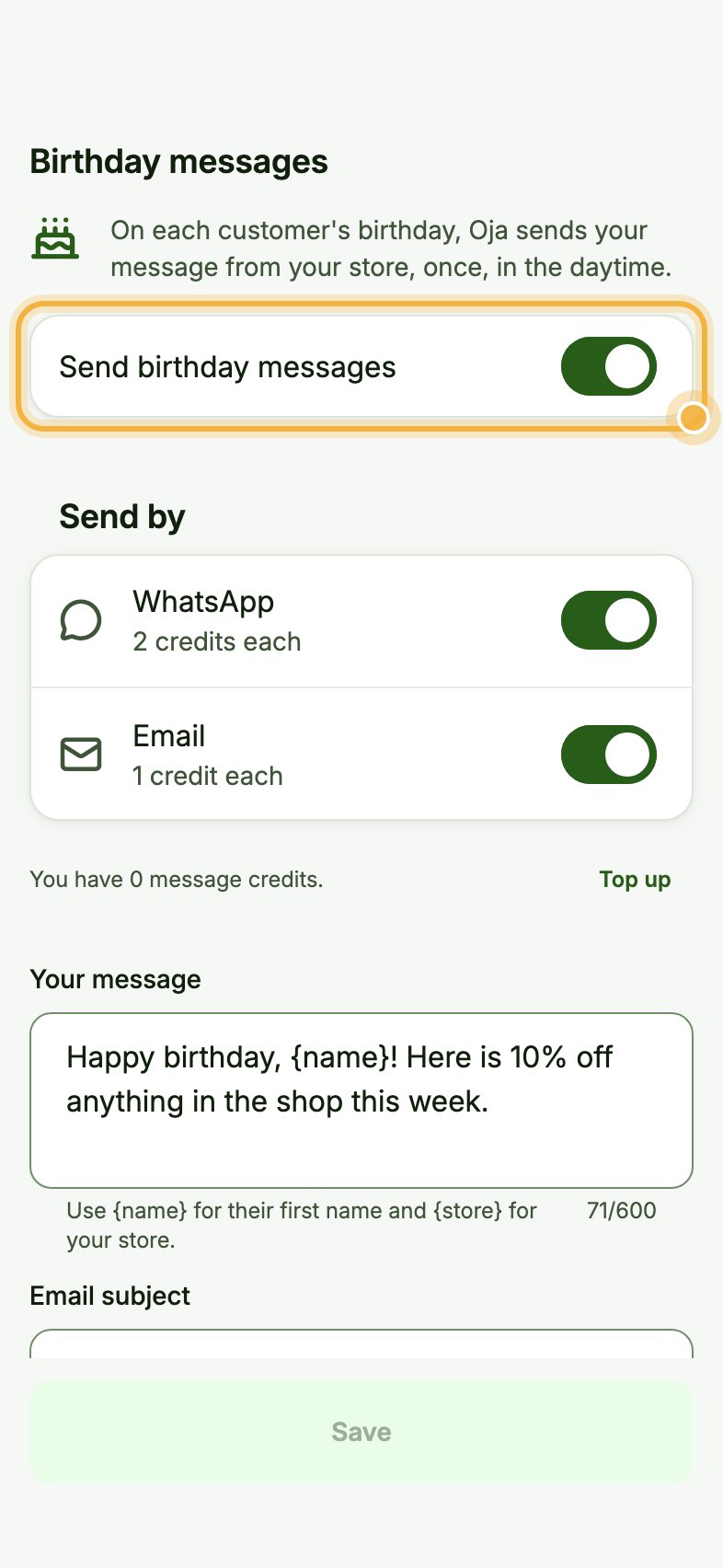
Turn on Send birthday messages. Under Send by, choose WhatsApp (2 credits each), Email (1 credit each) or both.
Write your message and save
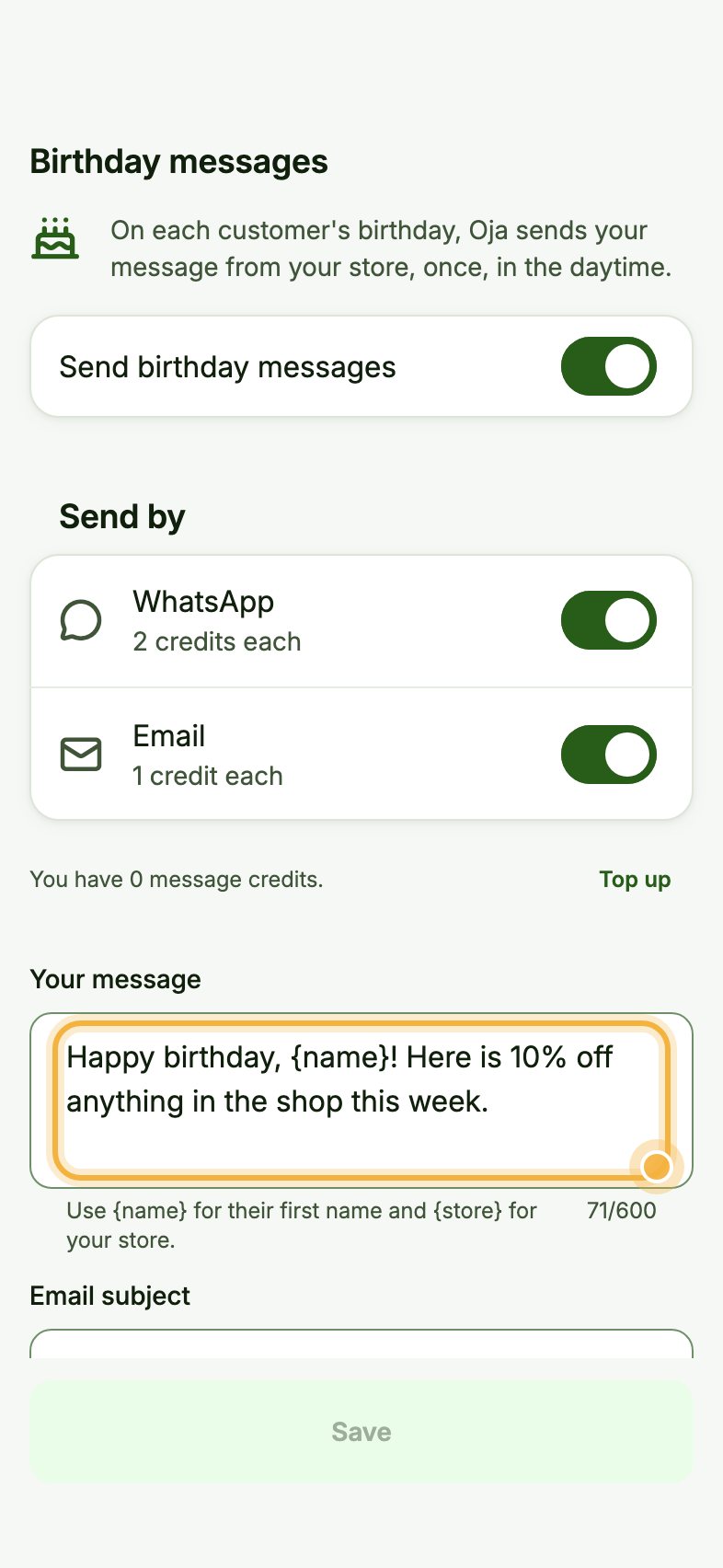
Under Your message, write what you want to say. Use {name} for their first name and {store} for your store's name. Add an Email subject, check the Preview, then tap Save.
Tips that save time
- Add a small offer, like 10% off this week, to turn wishes into sales.
- Top up message credits from Message credits in Account so messages never stop.
- Ask for birthdays when you save a new customer; only the day and month are needed.
Try it in the Oja app
Oja is free to start. Download the app, open your store in minutes and follow this guide on your own phone.
Start selling free