
No need to buy a POS system. Turn your phone into a point of sale with Oja: ring up items, take cash, transfer or card, and close the day. Works offline too.
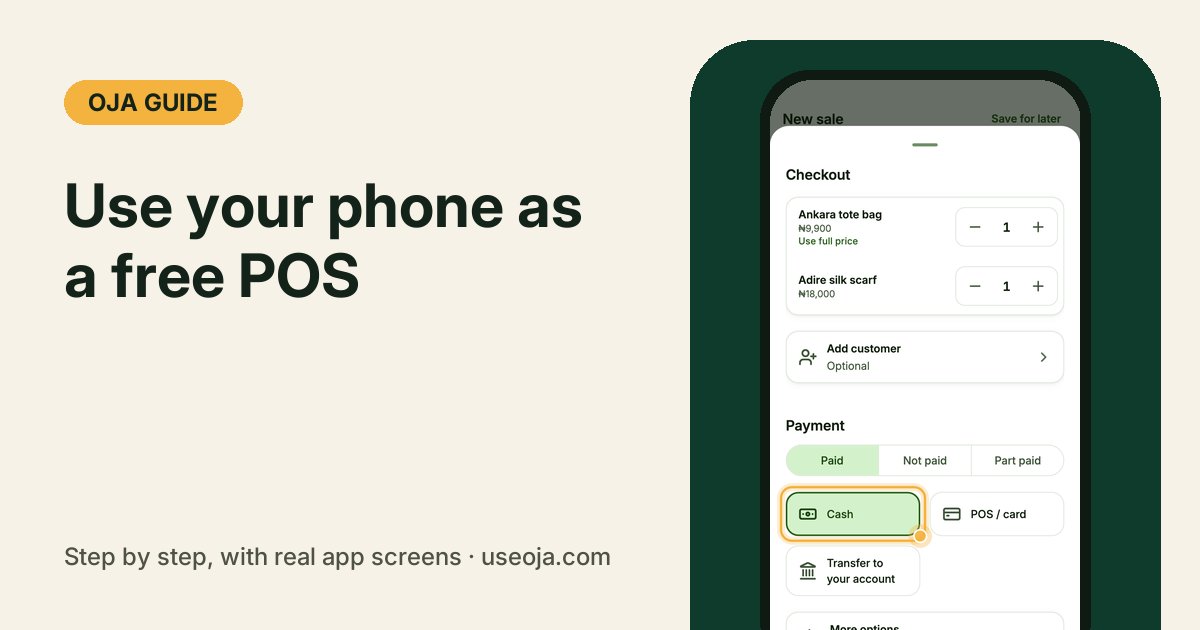
A POS is more than the card machine. It is the screen where you ring up what a customer is buying, take the payment and keep your stock right. With Oja, the phone already in your pocket does all of that for free, and it keeps working when the network is bad.
Before you start
- Install the Oja app and sign in to your store.
- Add the products you sell with a price and how many you have. In a hurry? Use Just an amount and add products later.
- No data? Keep selling. Sales are saved on your phone and sync when you are back online.
Ring up what they are buying
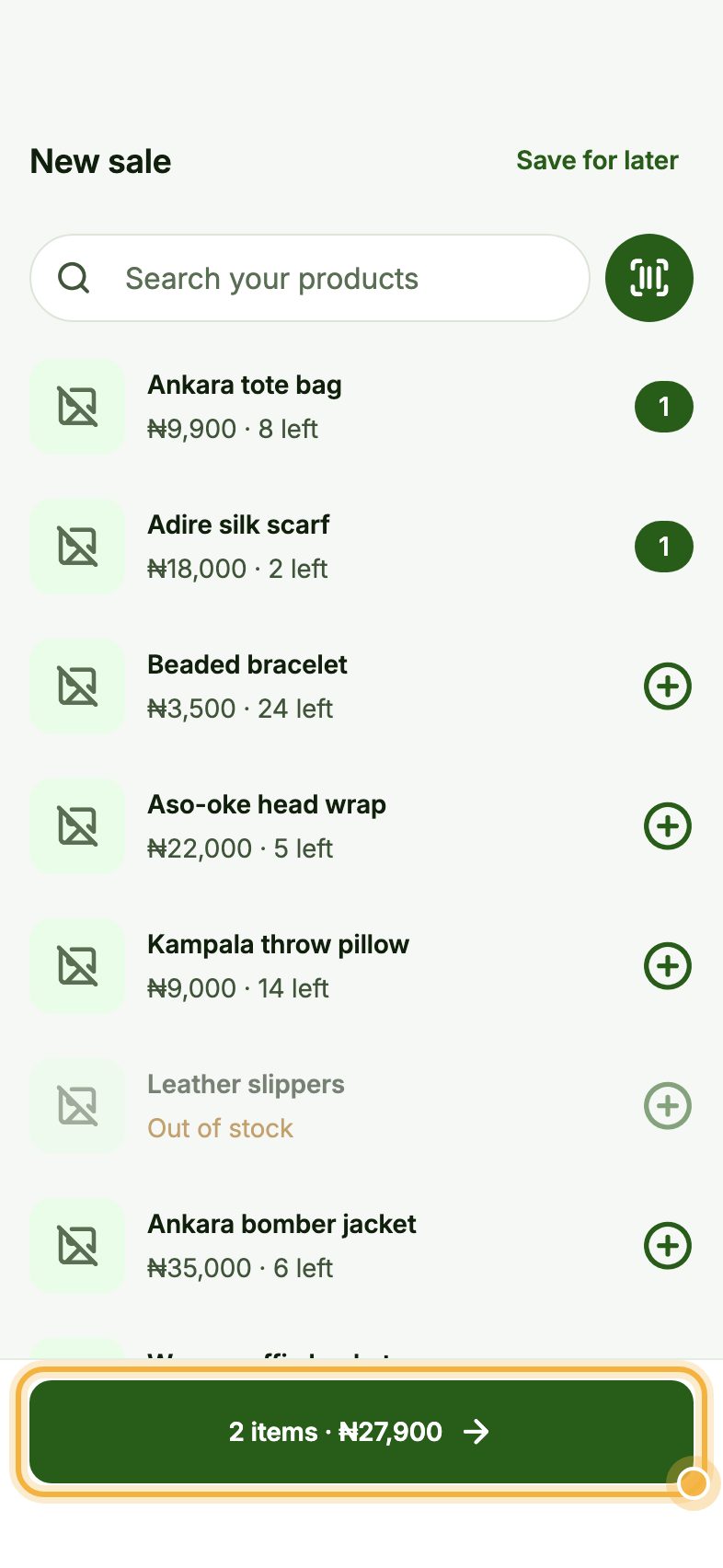
On Home, tap New sale, then Customer is here. Tap each product the customer is buying; tap again to add more of the same. Use the search box or the scan button to read a barcode.
The green bar at the bottom keeps the count and the total, for example 2 items · ₦27,900. Tap it to check out.
Take the payment and record the sale
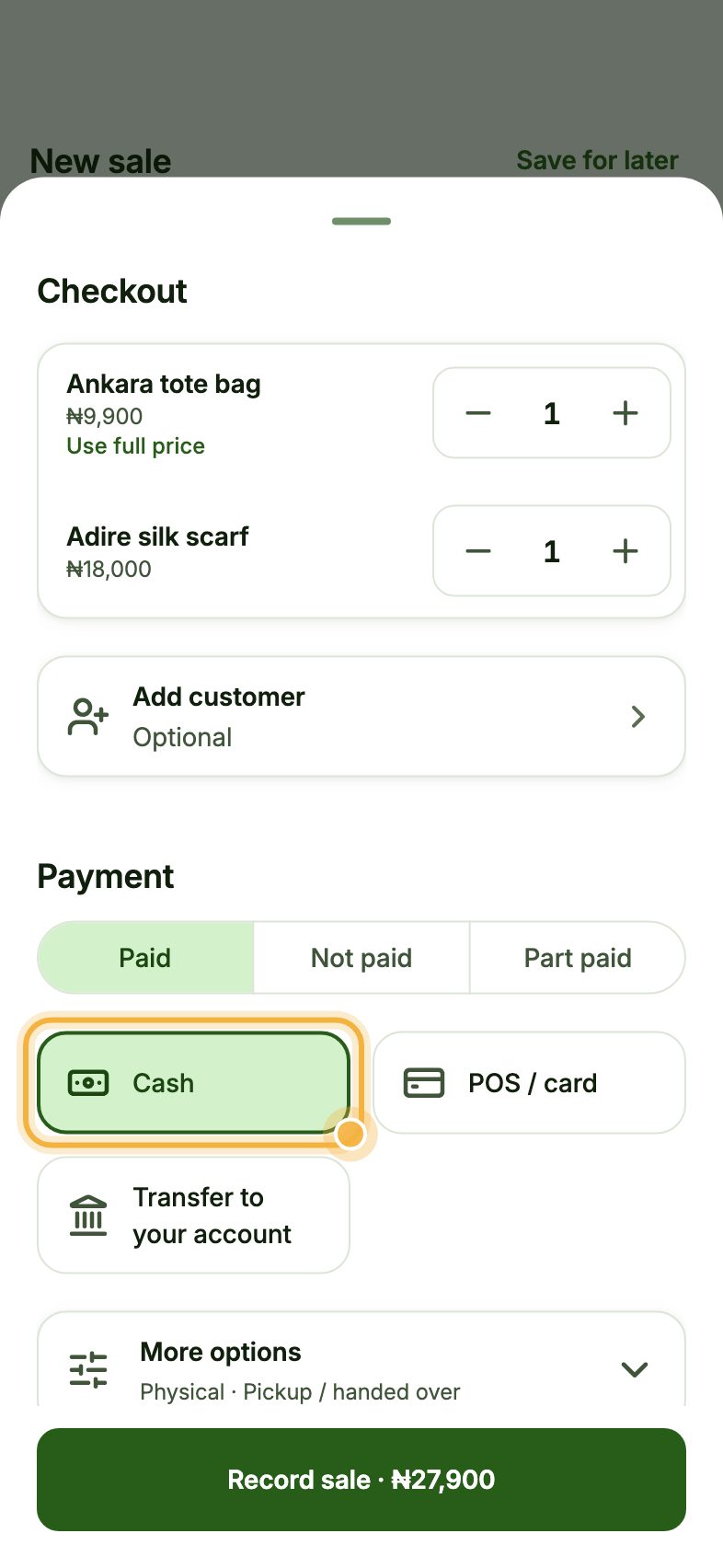
Under Payment, choose Paid, Not paid or Part paid, then how they paid: Cash, POS / card or Transfer to your account. Add the customer if you want the sale on their record.
Tap Record sale. Oja takes the items out of your stock and lets you share or print the receipt.
Close the day
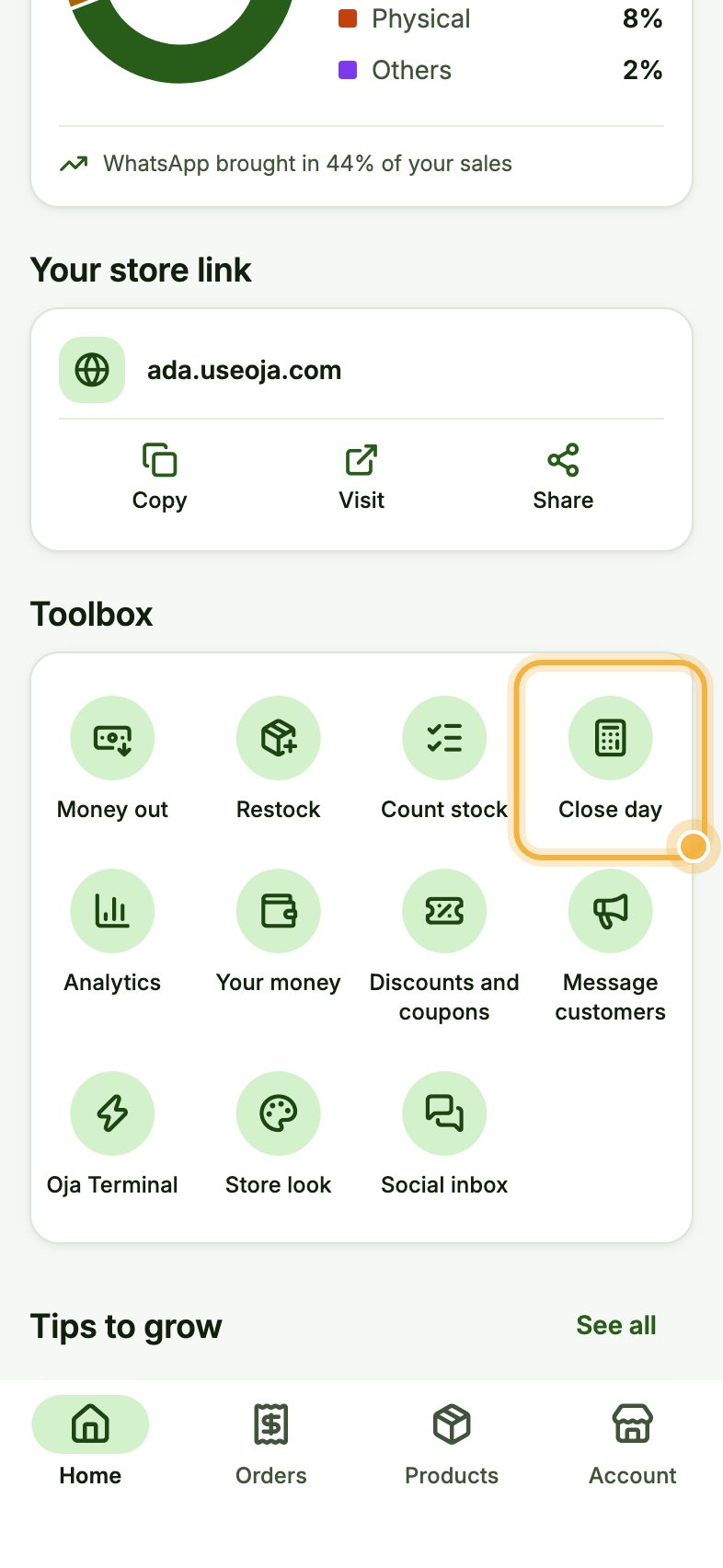
At closing time, scroll down on Home to Toolbox and tap Close day. Oja shows the cash you should have from today's sales. Count your drawer, type what is there and see straight away if anything is short.
Tips for a busy counter
- Tap Save for later at the top of New sale to park a half-done sale and serve the next customer.
- Mark where each sale came from (walk-in, WhatsApp, Instagram or TikTok) to see which one brings in the most money.
- Use Not paid for customers who buy on credit. Oja adds it to what they owe and can remind them for you.
Try it in the Oja app
Oja is free to start. Download the app, open your store in minutes and ring up your first sale.
Start selling free